


Event document template
Name badge template
A clean two-per-sheet badge layout with an event band, a large attendee name, and cut guides. Type one name, or generate a badge for all 300 attendees from a spreadsheet in one mail merge run.
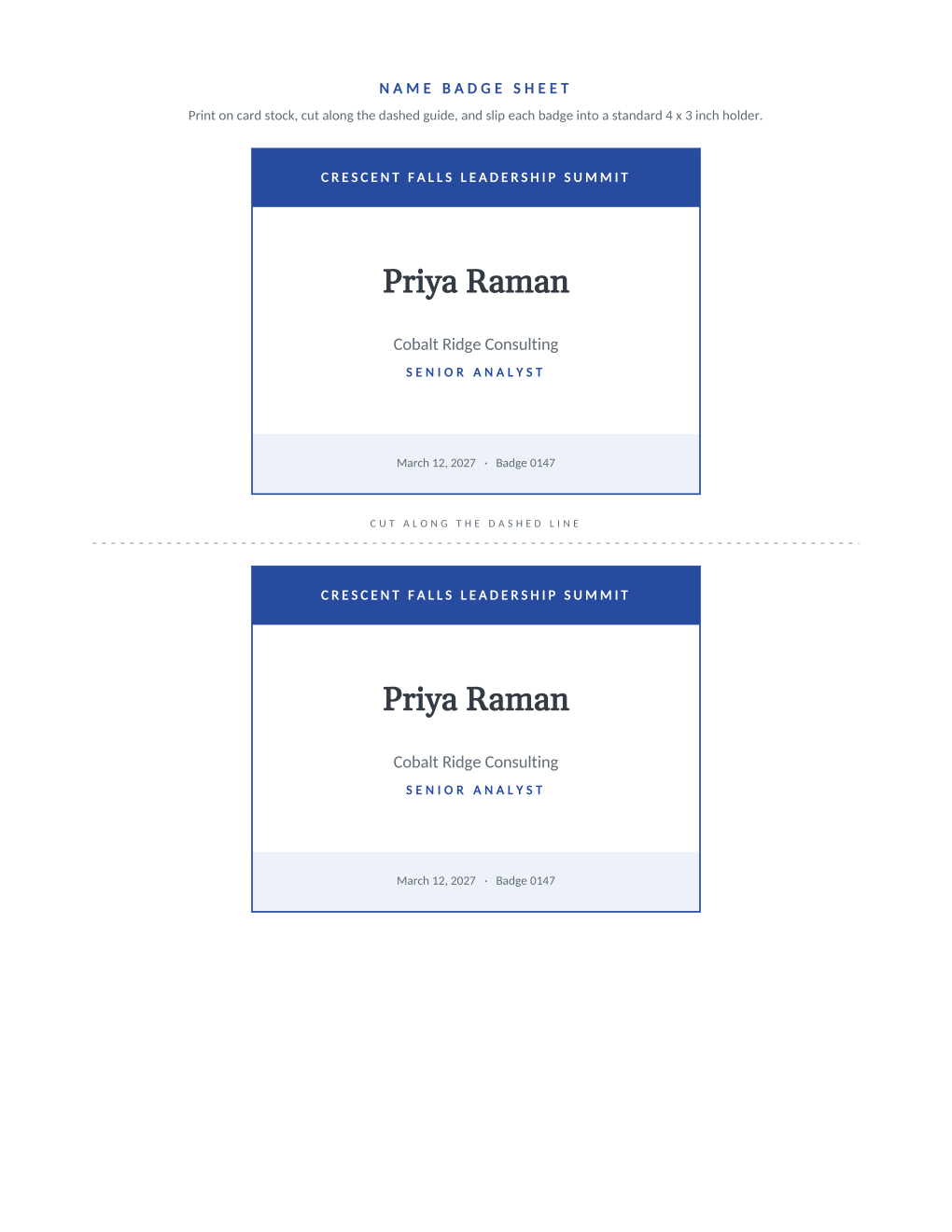
Badge printing is where manual work multiplies fastest: a 200-person conference means 200 individually typed badges, and one misspelled name becomes a bad first impression at the door. This template holds the design fixed and treats the attendee list as data. Each badge carries the event band, the attendee's name in large type, their organization and role, and a badge number for check-in reconciliation.
The sheet prints two identical badges per page on card stock, sized for standard 4 x 3 inch holders, with a dashed guide between them. Connect a spreadsheet and MailMergic renders a personalized sheet per attendee, ready to cut, in one PDF.
What is in the Word document
More than a block of text an AI chat can improvise: a complete, formatted document built for event teams who use it for real.
- Two identical 4 x 3 inch badge boxes per Letter sheet, sized for standard badge holders
- A colored event band, a large-type name line, and organization and role lines on each badge
- A dashed cut guide between the badges and a badge number for check-in lists
- Six mail merge fields, so every badge on every sheet fills itself from your attendee spreadsheet
Field reference
Copy the plain field list below, or download the formatted Word document with the design and layout built in.
FIELD REFERENCE (top to bottom on the badge)

EVENT BAND
Event Name .......... Crescent Falls Leadership Summit

BADGE FACE
Attendee Name ....... Priya Raman
Organization ........ Cobalt Ridge Consulting
Role ................ Senior Analyst

FOOTER LINE
Event Date .......... March 12, 2027
Badge Number ........ 0147
Merge fields, one spreadsheet column each
- Attendee Name
- Priya Raman
- Badge Number
- 0147
- Event Date
- March 12, 2027
- Event Name
- Crescent Falls Leadership Summit
- Organization
- Cobalt Ridge Consulting
- Role
- Senior Analyst
Before you print
- 1.Print one test sheet on plain paper and hold it against your badge holders before committing card stock.
- 2.Sort the spreadsheet the way registration will hand badges out, alphabetical by last name beats registration order at a busy desk.
- 3.Check the longest attendee name and organization in your list on the test sheet; very long names wrap to a second line.
- 4.Badge numbers only help if the same numbers are on your check-in list; export both from the same sheet.
When to use this template
Conferences and summits
One spreadsheet from your registration tool becomes a badge for every attendee, with role lines that make networking easier.
Workshops and trainings
Small-batch badges without design work; reprint one badge by re-running the mail merge on a single row.
Community and club events
Member name and role (volunteer, board, guest) on every badge, straight from the membership list.
Generate it for the whole guest list at once
One document, one spreadsheet, one personalized copy per guest. That is what MailMergic is for.
Upload the document template
Use the Word download as-is, or edit it first. The mail merge fields are already in place.
Upload your guest list
One row per guest: names, tables, codes, menu choices, whatever the document needs. Excel, CSV, and Google Sheets all work.
Generate and deliver
One personalized document per guest, generated in a single run. Download them all as PDFs, or email each guest their own with delivery and open tracking.
Name badge template FAQ
What size are the badges?
Can I print hundreds of badges at once?
Can I change the colors or fonts?
Does it work with Avery labels?
Other event templates
Formal invitation
Traditional wording with each guest's name set into the card, one per guest.
Gala invitation
Black-tie invitation with each guest's table and menu choice on the card.
Conference invitation
Business invitation letter with an agenda and a per-attendee registration code.
Save the date
Minimalist announcement card, every guest greeted by name months ahead.
Event ticket
Admit-one ticket with a numbered stub, one named ticket per guest.
Registration confirmation
Confirmation letter with a summary table and per-attendee registration code.
Place card
Fold-over tent card with name, seat, and menu cue from the seating chart.
Speaker confirmation
Logistics letter confirming each speaker's session, room, and arrival plan.
Thank-you letter
Morning-after thank-you with highlights, a survey ask, and the next date.
All event templates
Browse the full set of free event templates.