
Image mail merge.
One image in.
Hundreds of personalized images out.
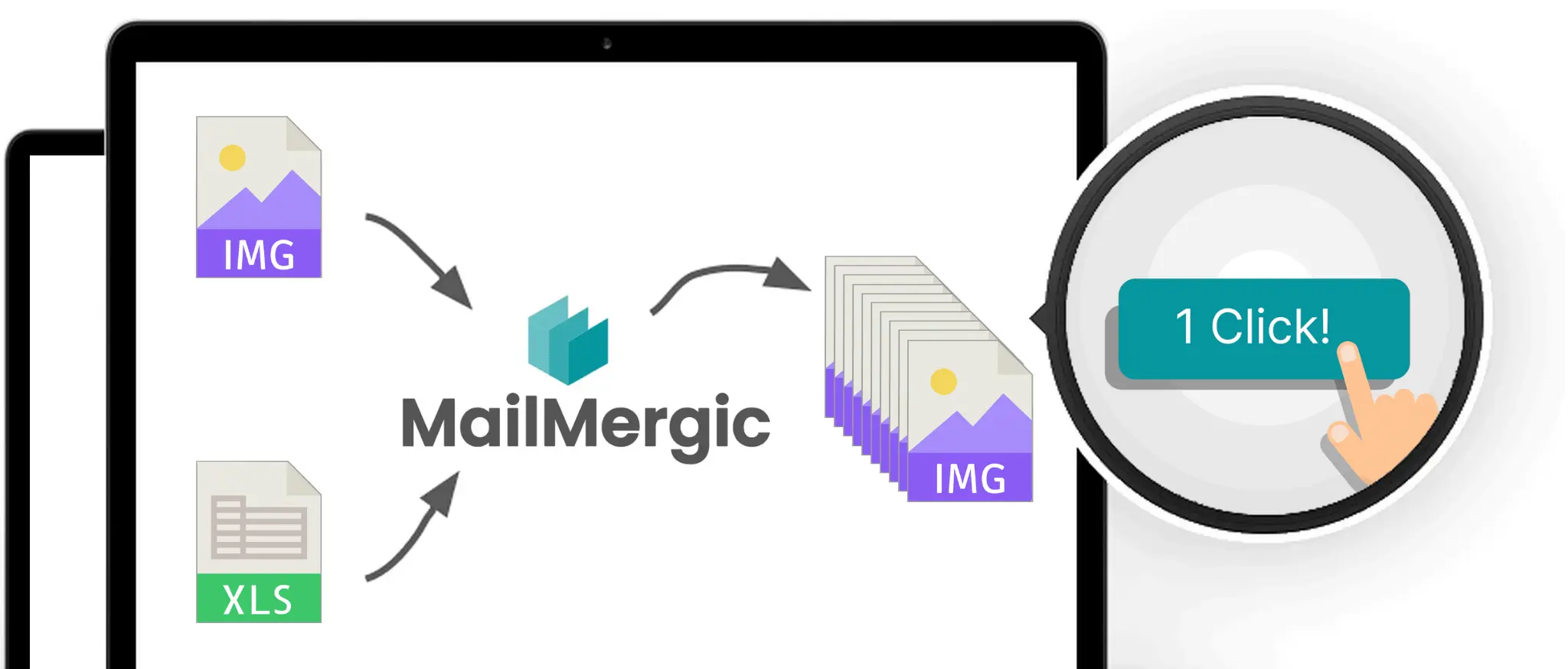
Upload your data, design or upload your image template, and MailMergic generates one personalized PNG or JPG per row. Certificates, name badges, event tickets, ID cards, social graphics. One template, hundreds of unique images.
- GDPR and CCPA compliant
- 30-day money-back guarantee
Quick check
Two things people call "image mail merge"
Pick the one that matches what you're trying to do.
Standalone images
Generate one personalized PNG or JPG per row of your spreadsheet. Certificates, name badges, event tickets, ID cards, social graphics.
Continue below
Images inside a Word document
Insert different images per recipient inside a Word document, like each employee's photo in a personalized letter.
See Word mail merge with images
Three steps
Generate hundreds of personalized images while you make a coffee
Upload
Add your image template (PNG or JPG) and your spreadsheet (Excel, CSV, or Google Sheets). Each row in your data becomes one image.
Design
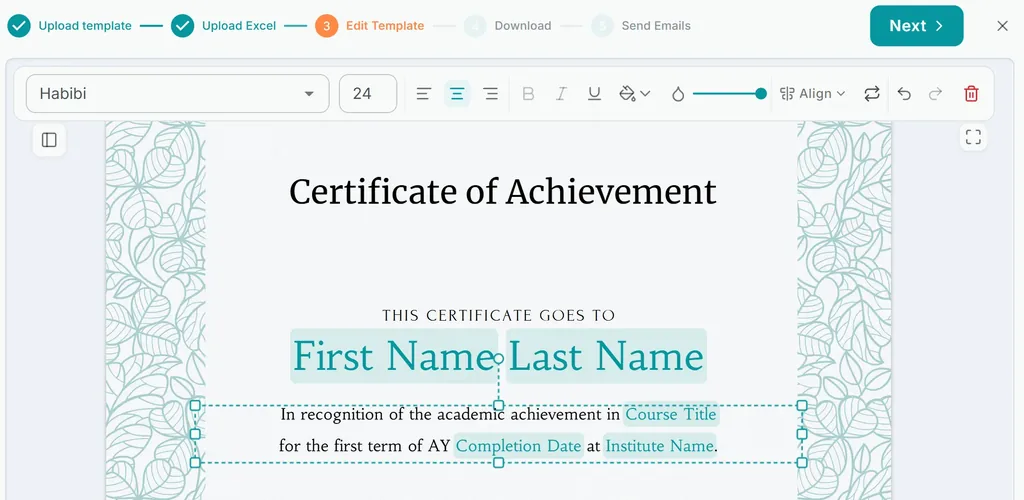
Drag and drop your data fields onto the image, exactly where they should appear. Name, title, date, ID number, anything from your columns.
Generate
One click. One PNG or JPG per row. Download all as a ZIP file, or email each image to the recipient on its row.
See it work.
Try for freeHow image mail merge works
One template, hundreds of unique outputs
Pixel-perfect placement
Position personalized text exactly where you want it on the image. MailMergic preserves your template's original resolution, format, and quality. No re-rendering at lower resolution, no format conversion losses.
- Drag-and-drop field positioning
- Supports PNG and JPG
- Output matches template resolution exactly
Custom fonts and styling
Use the full Google Fonts catalog or upload your own brand fonts. Bold, italic, color, alignment, and sizing apply per field. Each personalized value renders with its full styling consistent across every output.
- Google Fonts catalog plus custom font upload
- Per-field styling (size, color, weight)
- Consistent rendering across all outputs
One file per row, named your way
Each generated image is automatically named from your data columns. Certificate_SarahHansson_CS101.png instead of Image_001.png. Find the right file at a glance, deliver to the right person without manual sorting.
- Custom filename pattern per mail merge run
- Variables from any column
- ZIP download or per-row email delivery
Your image data stays yours
Your data, brand templates, generated images, all processed only for your merge runs. GDPR and CCPA compliant. EU-hosted. No data used for advertising or resale.
- GDPR and CCPA compliant
- EU-hosted infrastructure
- No advertising, no data resale
Built for teams generating images at scale
Wherever personalized images pile up, MailMergic handles the run

Events
Name badges, event tickets, seating cards, attendee photo IDs. One attendee list in, hundreds of personalized images out. Ready to print, email, or distribute digitally.

Education
Course completion certificates, student ID cards, attendance certificates, graduation photo cards. Each student gets their own personalized image from your student roster.

Healthcare
Patient ID cards, appointment reminder mailers, vaccination certificates, health screening notifications. From a patient roster to a folder of personalized images in one merge run. Offline desktop app available for PHI workflows.

Real Estate
Per-property listing flyers, tenant move-in welcome cards, quarterly statement covers, per-unit access cards. From a property or tenant roster to a folder of personalized images, ready to print, mail, or distribute.
Sending options
Choose who your emails come from
Set a sender up once and use it on any mail merge run. Keep several and pick the right one per campaign.
Send from your own Gmail account
Sign in with your Google account and every personalized email leaves from your own address. It stays in your Sent folder, and replies come straight back to your inbox. About 500 emails a day, or 2,000 on Google Workspace. Learn more: Gmail mail merge.
MailMergic address
Confirm your address in one click and send. Replies still come to you, there's no daily cap beyond your monthly credits, and every send gets a delivery report.
SMTP server
Send through Outlook, your web host, or your company's own mail server, using credentials you already have.
Your own domain
Add six DNS records to a domain you own. The strongest setup for deliverability, and the one that scales furthest.
Gmail and Google Workspace are trademarks of Google LLC.
Frequently asked questions
What image formats does MailMergic support?
How is this different from Canva or Photoshop?
How is this different from a watermark tool like Watermarkly or uMark?
Can I insert personalized images into a Word document during mail merge?
Can I use my own brand fonts?
What resolution and quality is the output?
Can I email each generated image to the recipient?
How many images can I generate in one batch?
How does pricing work?
More mail merge types
One tool, every file type
MailMergic runs mail merge for every format you work in. Pick the one that matches your template.


