Mail merge with attachments
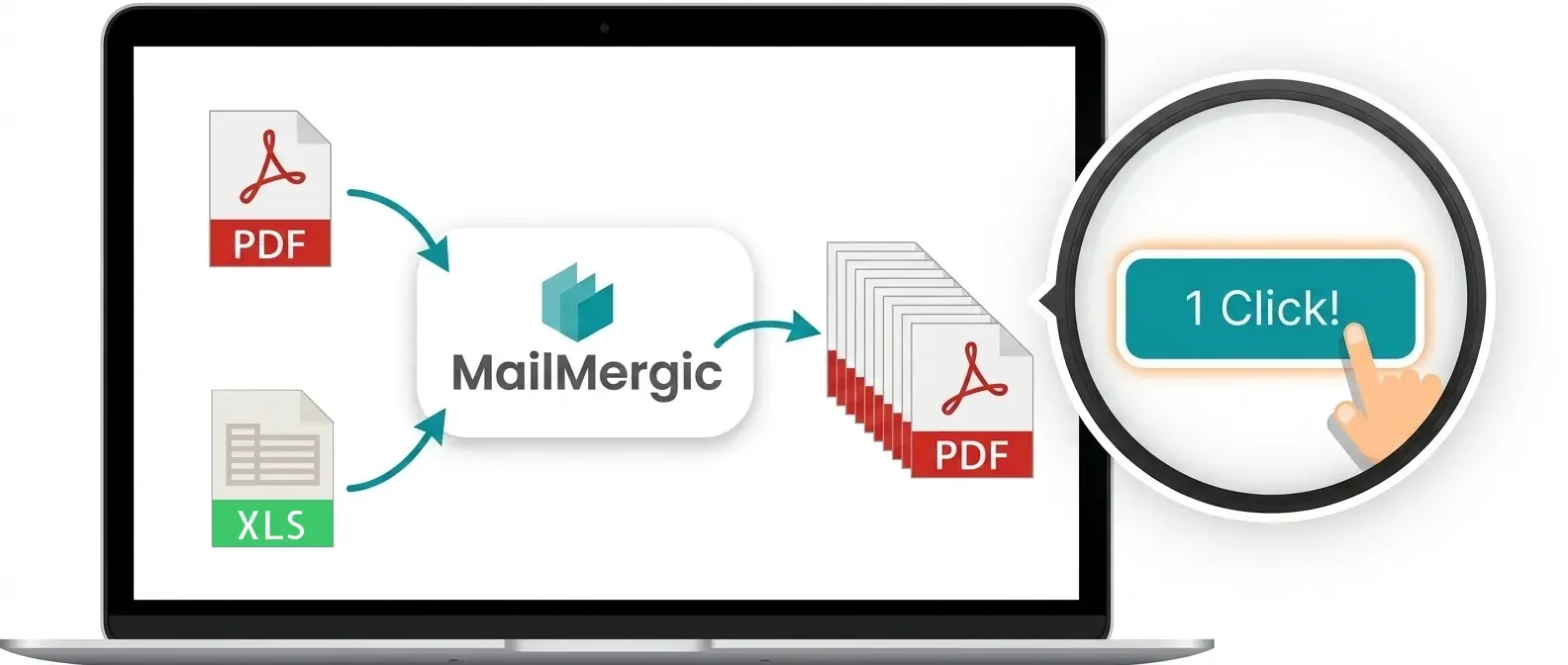
Word personalizes the message, Outlook sends it, and neither one can attach a file to it. MailMergic turns every row of your spreadsheet into its own document and sends it to that recipient as an attachment.
- Free to try, no sign-up
- Trusted since 2019
- GDPR & CCPA compliant
- 30-day money-back guarantee
How to mail merge with attachments in 5 steps
You need a spreadsheet with an email column and a template. Every row becomes one document, and every document is attached to its own message.
Upload your template
A PDF form, a static PDF, a Word letter or an Excel sheet. This is the file each recipient receives, filled with their own data.
Add your recipient list
Excel, CSV or Google Sheets. One column holds the email address, and the rest become merge fields.
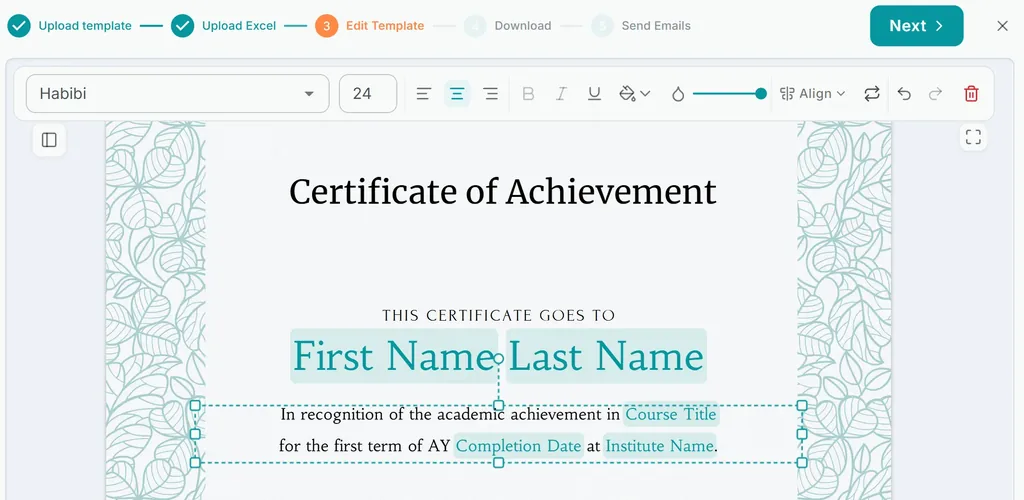
Place your merge fields
Drag {Name}, {Amount} or {Date} onto the template. Each row produces a separate file, named from your data.
Write the email
Subject and body take merge fields too, so the message is personalized alongside the attachment. Send from your own verified domain, or from your address without any setup.
Send and track
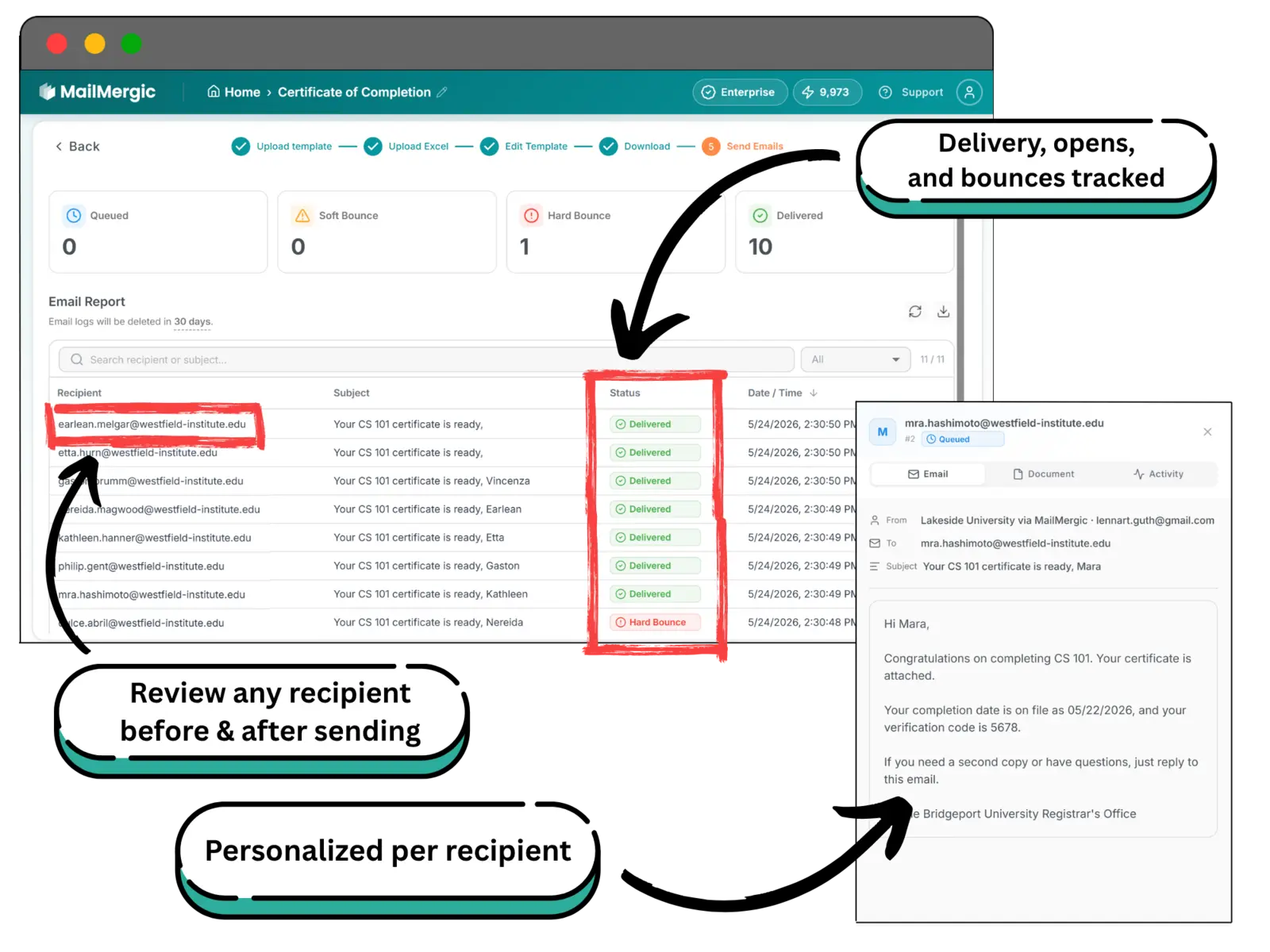
Each recipient receives their own document. Delivery, bounces and opens are recorded per row, so you can see exactly who received theirs.
Customers love MailMergic
From small teams to large organizations, users around the world rely on MailMergic to automate their document workflows, save hours of manual work, and deliver perfectly personalized results, every single time.
Average score from 134 post-purchase surveys in 2025: 4.6/5
The same file for everyone, or one each
Not every mail merge needs a different attachment per person. An invitation with one venue map, a policy update with one PDF, a price list that is identical for the whole list: the message is personalized, the attached file is not.
MailMergic does both, and both at once. Files attached to the template travel with every message, while the generated document stays unique to its row. A personalized invoice can therefore arrive alongside the same terms and conditions that everyone else receives.
What lands in each inbox
- The document generated from that recipient’s row, and nobody else’s
- Any fixed files attached to the template, identical for the whole list
- A file name built from the data, for example Invoice-{Number}.pdf
- A password only that recipient knows, taken from a column
Word and Outlook vs MailMergic
| Word and Outlook mail merge | MailMergic | |
|---|---|---|
| Attach a file to a merged email | Needs a VBA macro or a paid add-in | Built in |
| A different attachment per recipient | Not possible natively | One generated document per row |
| One PDF per row | One long document you split by hand | Separate files, named from your data |
| Password per recipient | Not available | Taken from a column |
| Delivery and open tracking | Nothing once Outlook has sent | Recorded per recipient |
| What you need installed | Windows, with Word and Outlook | Any browser |