


Event document template
Formal event invitation template
Traditional centered wording with the guest's name set exactly where etiquette expects it, followed by the date, venue, dress code, and RSVP details. Write the card once, then mail merge the whole guest list so every invitation arrives personally addressed.
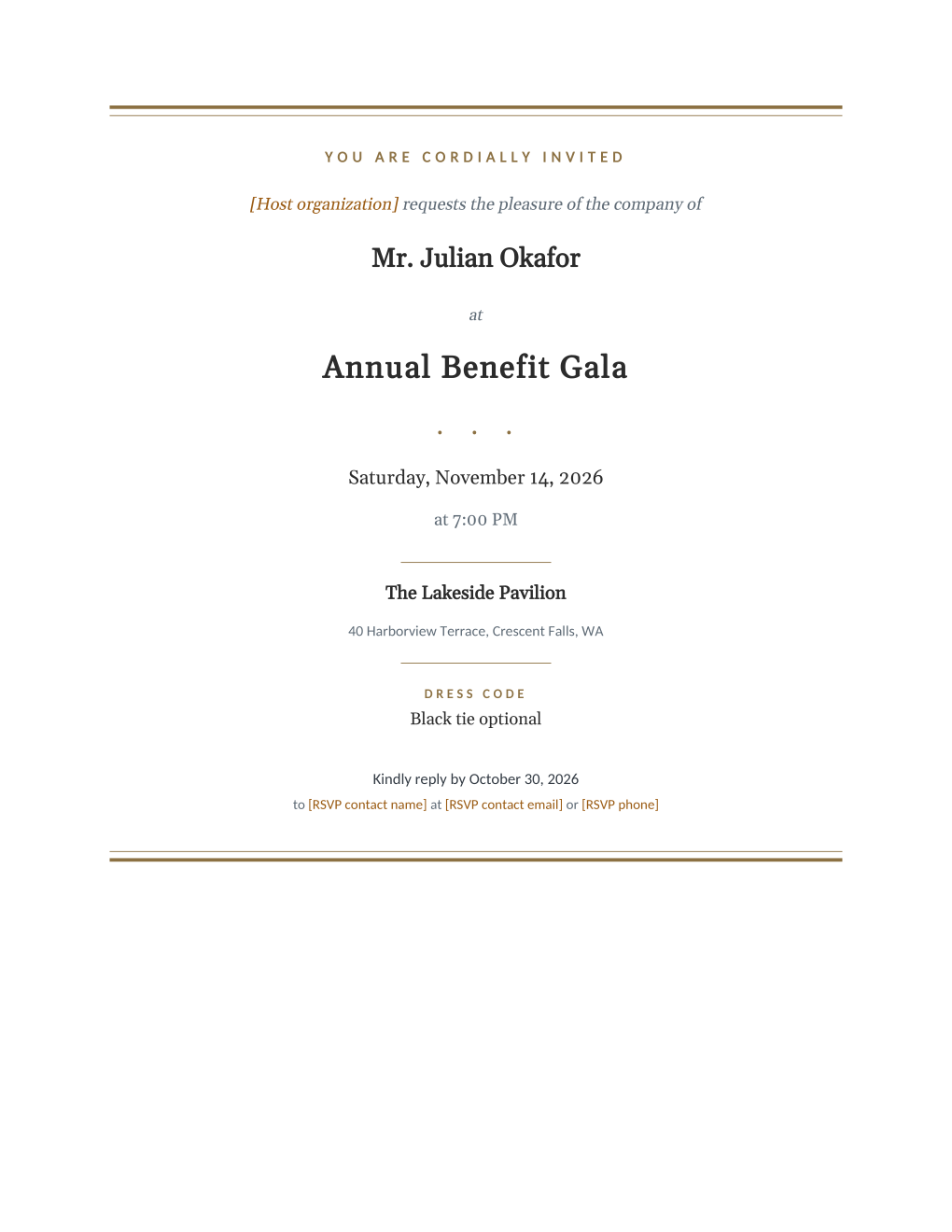
Formal invitation wording follows a fixed order: the host requests the pleasure of the company of a named guest, the event and date follow written out in full, and the reply instructions close the card. The part most templates quietly skip is the named guest, because naming 150 guests means editing 150 files. This template keeps the traditional structure and treats the guest line as a mail merge field, so "Mr. Julian Okafor" is typeset into his own card the way a stationer would have done it.
Eight fields cover the guest name, event, date and time, venue, dress code, and reply-by date. The RSVP contact trio is static text you edit once, since the reply address is the same on every card. Connect your guest list and MailMergic renders a personalized invitation per row, ready to print on card stock or to email as individual PDFs.
What is in the Word document
More than a block of text an AI chat can improvise: a complete, formatted document built for event teams who use it for real.
- A centered, letterpress-style layout framed by rules at the top and bottom
- The traditional request line with the guest's name as its own centered line
- Date, time, venue name, and venue address in the order formal wording expects
- A dress code block and an RSVP line with a reply-by date
- Eight mail merge fields; the RSVP contact trio is static text you set once
Field reference
Copy the plain field list below, or download the formatted Word document with the design and layout built in.
INVITATION WORDING (as it prints, centered)

You are cordially invited
[Host organization] requests the pleasure of the company of
[Guest Name]
at [Event Name]
[Event Date] at [Event Time]
[Venue Name]
[Venue Address]
Dress code: [Dress Code]
Kindly reply by [RSVP Deadline]
to [RSVP contact name] at [RSVP contact email] or [RSVP phone]

FIELD REFERENCE (top to bottom on the card)

GUEST LINE
Guest Name .......... Mr. Julian Okafor

EVENT BLOCK
Event Name .......... Annual Benefit Gala
Event Date .......... Saturday, November 14, 2026
Event Time .......... 7:00 PM
Venue Name .......... The Lakeside Pavilion
Venue Address ....... 40 Harborview Terrace, Crescent Falls, WA

CLOSING LINES
Dress Code .......... Black tie optional
RSVP Deadline ....... October 30, 2026

STATIC LINES (edit once in the template)
Host organization ... The Meridian Foundation
RSVP contact name ... Evelyn Ashford
RSVP contact email .. rsvp@meridianfoundation.example
RSVP phone .......... (555) 014-2965
Merge fields, one spreadsheet column each
- Dress Code
- Black tie optional
- Event Date
- Saturday, November 14, 2026
- Event Name
- Annual Benefit Gala
- Event Time
- 7:00 PM
- Guest Name
- Mr. Julian Okafor
- RSVP Deadline
- October 30, 2026
- Venue Address
- 40 Harborview Terrace, Crescent Falls, WA
- Venue Name
- The Lakeside Pavilion
Sender settings, edit once in the template
- Host organization
- The Meridian Foundation
- RSVP contact email
- rsvp@meridianfoundation.example
- RSVP contact name
- Evelyn Ashford
- RSVP phone
- (555) 014-2965
Before you send
- 1.Decide how names should read on the card (Mr. Julian Okafor versus Julian Okafor) and format the spreadsheet column that way once; the card prints the column exactly as written.
- 2.Couples and households need their wording written into the Guest Name cell, for example "Mr. and Mrs. Alvarez"; the template prints one line per row, it does not pair guests for you.
- 3.Check the RSVP deadline against your caterer's final-count date; the reply-by line is the one date on the card guests actually act on.
- 4.Print one proof with the longest guest name in your list before committing to a box of card stock.
When to use this template
Weddings and receptions
Classic request-line wording with each household's names on its own card, straight from the guest list you already keep.
Corporate dinners and award nights
The same etiquette holds when the host line is a company; the formal register signals that the evening is not another networking mixer.
Anniversaries and milestone parties
A fiftieth birthday or retirement dinner earns real stationery; one spreadsheet of family and friends becomes the full card set.
Generate it for the whole guest list at once
One document, one spreadsheet, one personalized copy per guest. That is what MailMergic is for.
Upload the document template
Use the Word download as-is, or edit it first. The mail merge fields are already in place.
Upload your guest list
One row per guest: names, tables, codes, menu choices, whatever the document needs. Excel, CSV, and Google Sheets all work.
Generate and deliver
One personalized document per guest, generated in a single run. Download them all as PDFs, or email each guest their own with delivery and open tracking.
Formal event invitation FAQ
What is the correct wording for a formal invitation?
How do I handle couples and plus-ones?
Can I track RSVPs with this?
What paper should it print on?
Other event templates
Gala invitation
Black-tie invitation with each guest's table and menu choice on the card.
Conference invitation
Business invitation letter with an agenda and a per-attendee registration code.
Save the date
Minimalist announcement card, every guest greeted by name months ahead.
Event ticket
Admit-one ticket with a numbered stub, one named ticket per guest.
Registration confirmation
Confirmation letter with a summary table and per-attendee registration code.
Name badge
Two badges per sheet with cut guides, one per attendee from your list.
Place card
Fold-over tent card with name, seat, and menu cue from the seating chart.
Speaker confirmation
Logistics letter confirming each speaker's session, room, and arrival plan.
Thank-you letter
Morning-after thank-you with highlights, a survey ask, and the next date.
All event templates
Browse the full set of free event templates.