


Event document template
Save the date template
A minimalist card that announces the event, the date, and the city, and greets every guest by name with the promise that a formal invitation follows. Type one card, or mail merge the entire guest list in one run.
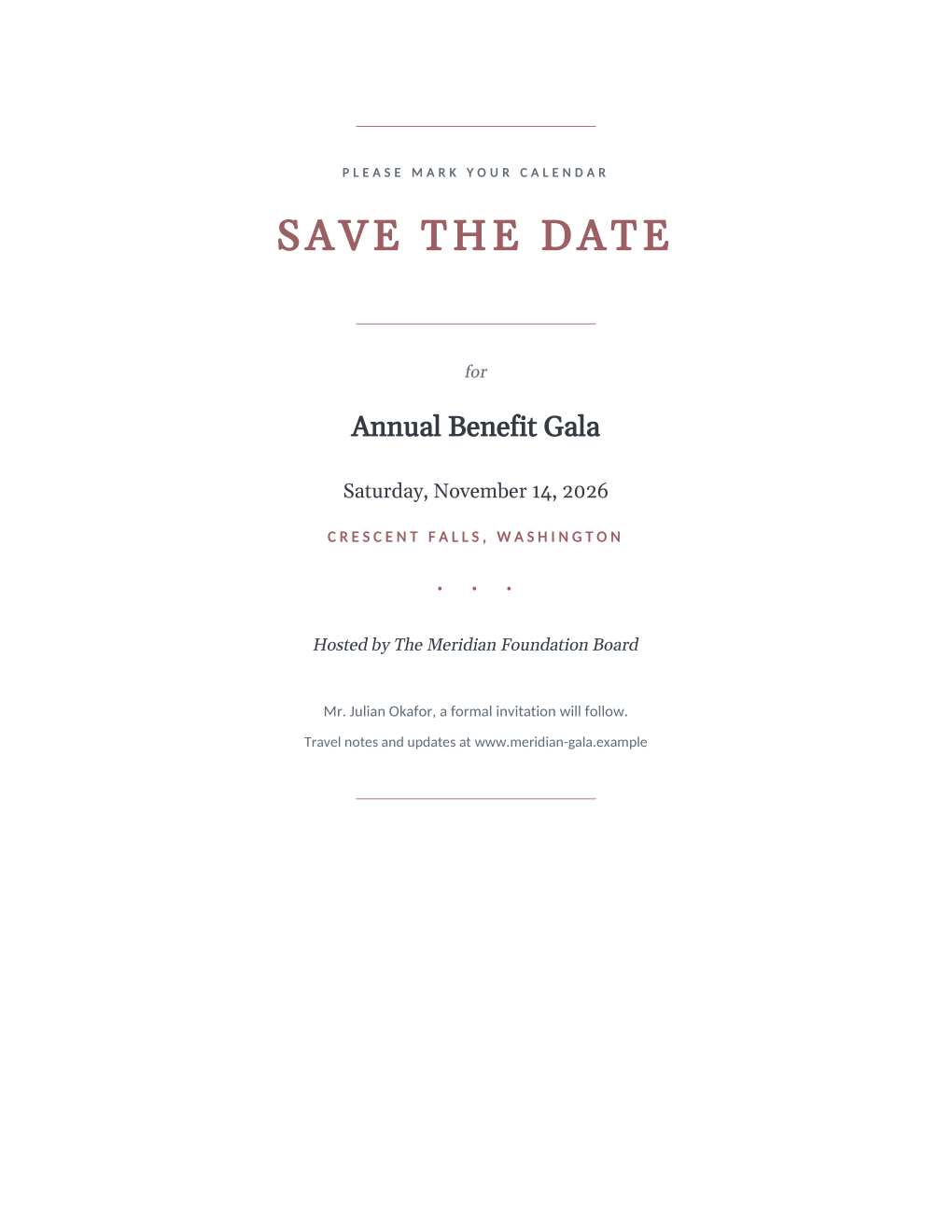
A save the date has one job: get onto the calendar before the calendar fills, months before the details are final. This template keeps the card deliberately spare, just the event, date, city, host, and a website for updates, and personalizes the one line most cards leave generic: each guest is addressed by name and told that a formal invitation will follow.
Six mail merge fields fill the card from your guest list, and there is no static text to maintain: even the hosted-by line and the website are fields, so the same template serves a wedding this year and a foundation gala next spring. Generate every card in one run, then print them or email each guest their own PDF.
What is in the Word document
More than a block of text an AI chat can improvise: a complete, formatted document built for event teams who use it for real.
- A centered, minimalist card: thin rules, a wide-tracked SAVE THE DATE, and generous white space
- Event name, full date, and city, the three facts guests need months out
- A hosted-by line and an event website line for travel notes and updates
- A personal guest line: each guest is named and told a formal invitation will follow
- Six mail merge fields and no static text, so one spreadsheet fills the whole card
Field reference
Copy the plain field list below, or download the formatted Word document with the design and layout built in.
FIELD REFERENCE (top to bottom on the card)

ANNOUNCEMENT
Event Name .......... Annual Benefit Gala
Event Date .......... Saturday, November 14, 2026
Event City .......... Crescent Falls, Washington

HOST AND GUEST LINES
Host Names .......... The Meridian Foundation Board
Guest Name .......... Mr. Julian Okafor

FOOTER LINE
Event Website ....... www.meridian-gala.example
Merge fields, one spreadsheet column each
- Event City
- Crescent Falls, Washington
- Event Date
- Saturday, November 14, 2026
- Event Name
- Annual Benefit Gala
- Event Website
- www.meridian-gala.example
- Guest Name
- Mr. Julian Okafor
- Host Names
- The Meridian Foundation Board
Before you send
- 1.Send save the dates only when the date is genuinely fixed; a second card moving the date costs more goodwill than a later first card ever would.
- 2.The card names the city so out-of-town guests can plan travel; keep the venue for the invitation, since venues change more often than dates.
- 3.Put something real at the event website before the run; a page saying "details soon" beats a dead address printed on 200 cards.
- 4.Settle the household question once in the spreadsheet: one card per household with both names in the guest cell, or one card per person, but not a mix.
When to use this template
Weddings
Announce the date and city as soon as they are booked, months before invitations exist, so far-away family can book travel while it is cheap.
Galas and fundraisers
Get onto donors' calendars before the year-end season fills them; the website line carries sponsorship details as they firm up.
Conferences and reunions
The hosted-by line is a field, not fixed wording, so "The Meridian Foundation Board" fits it as naturally as a couple's names.
Generate it for the whole guest list at once
One document, one spreadsheet, one personalized copy per guest. That is what MailMergic is for.
Upload the document template
Use the Word download as-is, or edit it first. The mail merge fields are already in place.
Upload your guest list
One row per guest: names, tables, codes, menu choices, whatever the document needs. Excel, CSV, and Google Sheets all work.
Generate and deliver
One personalized document per guest, generated in a single run. Download them all as PDFs, or email each guest their own with delivery and open tracking.
Save the date template FAQ
Does this work for both weddings and corporate events?
How do I match it to the invitation that follows?
Should save the dates be printed or emailed?
When should a save the date go out?
Other event templates
Formal invitation
Traditional wording with each guest's name set into the card, one per guest.
Gala invitation
Black-tie invitation with each guest's table and menu choice on the card.
Conference invitation
Business invitation letter with an agenda and a per-attendee registration code.
Event ticket
Admit-one ticket with a numbered stub, one named ticket per guest.
Registration confirmation
Confirmation letter with a summary table and per-attendee registration code.
Name badge
Two badges per sheet with cut guides, one per attendee from your list.
Place card
Fold-over tent card with name, seat, and menu cue from the seating chart.
Speaker confirmation
Logistics letter confirming each speaker's session, room, and arrival plan.
Thank-you letter
Morning-after thank-you with highlights, a survey ask, and the next date.
All event templates
Browse the full set of free event templates.