


Event document template
Place card template
A fold-over tent card with the guest's name in serif type, their table and seat, and their menu choice as the kitchen's cue. Hand-letter one, or mail merge the entire seating chart in one run.
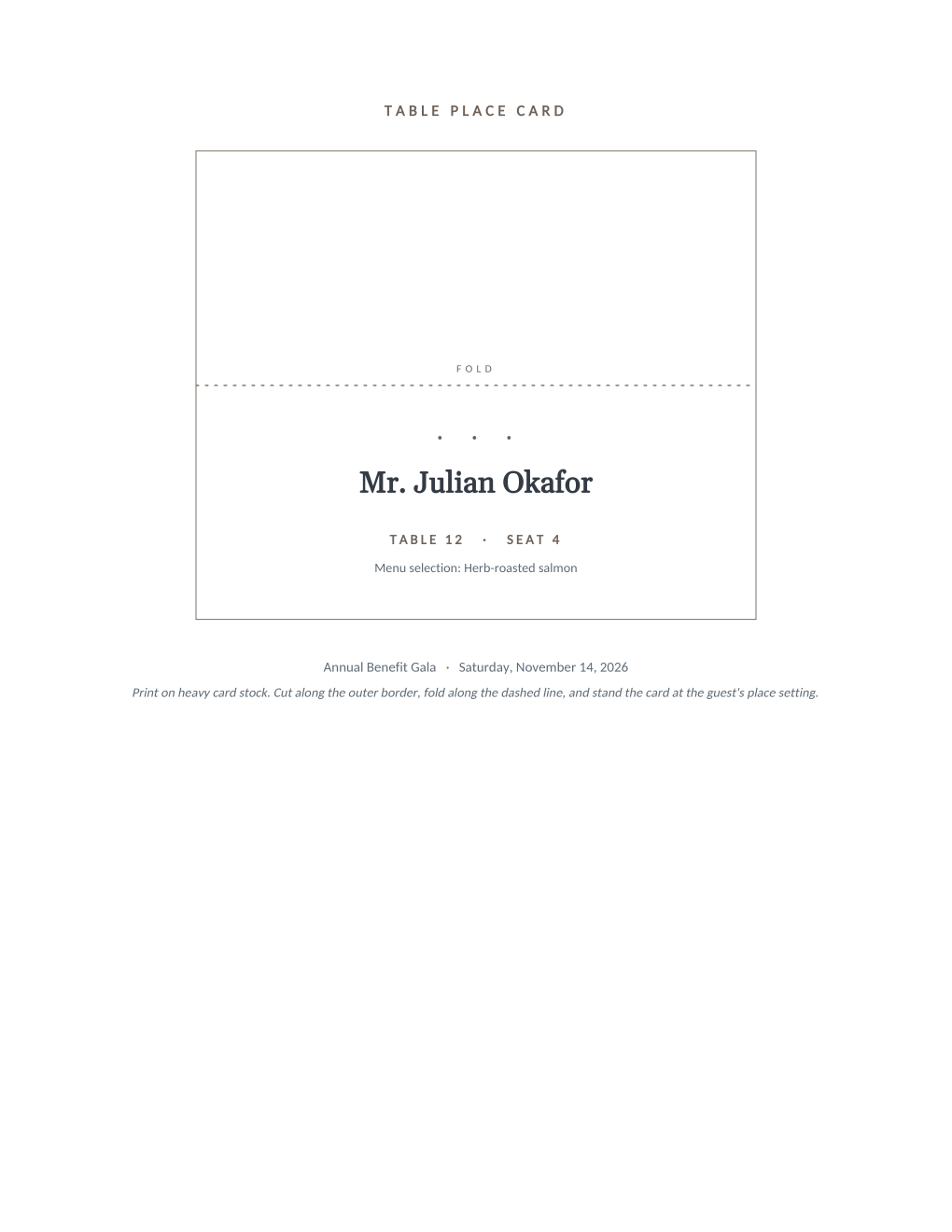
Place cards are the last document of the event and the first one guests look for. This one folds into a tent card with the guest's name facing the room, the table and seat beneath it, and the menu choice in small type at the base, which is the line the serving staff actually reads. At a plated dinner, that quiet line is how 200 correct plates find 200 correct guests without a single question asked over the centerpiece.
Six mail merge fields fill every card from the same seating chart spreadsheet you already keep. Print the run on heavy card stock, cut along the outer border, and fold along the dashed line.
What is in the Word document
More than a block of text an AI chat can improvise: a complete, formatted document built for event teams who use it for real.
- A tent-fold card layout with a dashed fold line and an outer cutting border
- The guest name in large serif type with table and seat beneath it
- A menu selection line in small type, placed where serving staff can read it discreetly
- The event name and date at the base of the card
- Six mail merge fields, so the seating chart fills every card in one run
Field reference
Copy the plain field list below, or download the formatted Word document with the design and layout built in.
FIELD REFERENCE (top to bottom on the standing card)

CARD FACE
Guest Name .......... Mr. Julian Okafor
Table Number ........ 12
Seat Number ......... 4
Menu Choice ......... Herb-roasted salmon

BASE LINE
Event Name .......... Annual Benefit Gala
Event Date .......... Saturday, November 14, 2026
Merge fields, one spreadsheet column each
- Event Date
- Saturday, November 14, 2026
- Event Name
- Annual Benefit Gala
- Guest Name
- Mr. Julian Okafor
- Menu Choice
- Herb-roasted salmon
- Seat Number
- 4
- Table Number
- 12
Before you print
- 1.Print on heavy card stock, 200 gsm or more; lighter paper will not stand reliably through a dinner.
- 2.Fold one test card first and check which way the print faces; the dashed line marks the fold, and re-creased card stock never looks right.
- 3.Use the menu wording the kitchen uses; "Herb-roasted salmon" on the card should be the same words the caterer calls the dish.
- 4.Generate from the final seating chart, and cover late changes by re-running the mail merge on just the affected rows.
When to use this template
Weddings
The seating chart becomes the full card set the afternoon it is final, with the menu cue the caterer asked you for anyway.
Galas and award dinners
Pairs with the gala invitation, so the table a guest was promised on the card is the one at their seat.
Board dinners and retreats
Small enough to hand-letter, but a 6 PM seat swap is a one-row reprint instead of a scramble for matching ink.
Generate it for the whole guest list at once
One document, one spreadsheet, one personalized copy per guest. That is what MailMergic is for.
Upload the document template
Use the Word download as-is, or edit it first. The mail merge fields are already in place.
Upload your guest list
One row per guest: names, tables, codes, menu choices, whatever the document needs. Excel, CSV, and Google Sheets all work.
Generate and deliver
One personalized document per guest, generated in a single run. Download them all as PDFs, or email each guest their own with delivery and open tracking.
Place card template FAQ
How does the menu choice line help the caterer?
How do the cards fold and print?
What about last-minute seat changes?
Can I use it without assigned seats?
Other event templates
Formal invitation
Traditional wording with each guest's name set into the card, one per guest.
Gala invitation
Black-tie invitation with each guest's table and menu choice on the card.
Conference invitation
Business invitation letter with an agenda and a per-attendee registration code.
Save the date
Minimalist announcement card, every guest greeted by name months ahead.
Event ticket
Admit-one ticket with a numbered stub, one named ticket per guest.
Registration confirmation
Confirmation letter with a summary table and per-attendee registration code.
Name badge
Two badges per sheet with cut guides, one per attendee from your list.
Speaker confirmation
Logistics letter confirming each speaker's session, room, and arrival plan.
Thank-you letter
Morning-after thank-you with highlights, a survey ask, and the next date.
All event templates
Browse the full set of free event templates.