


School document template
Report card template
A clean one-page report card with a five-subject grade table, a grade point average row, and a teacher comment box. Fill one by hand, or generate the whole class from your gradebook in one mail merge run.
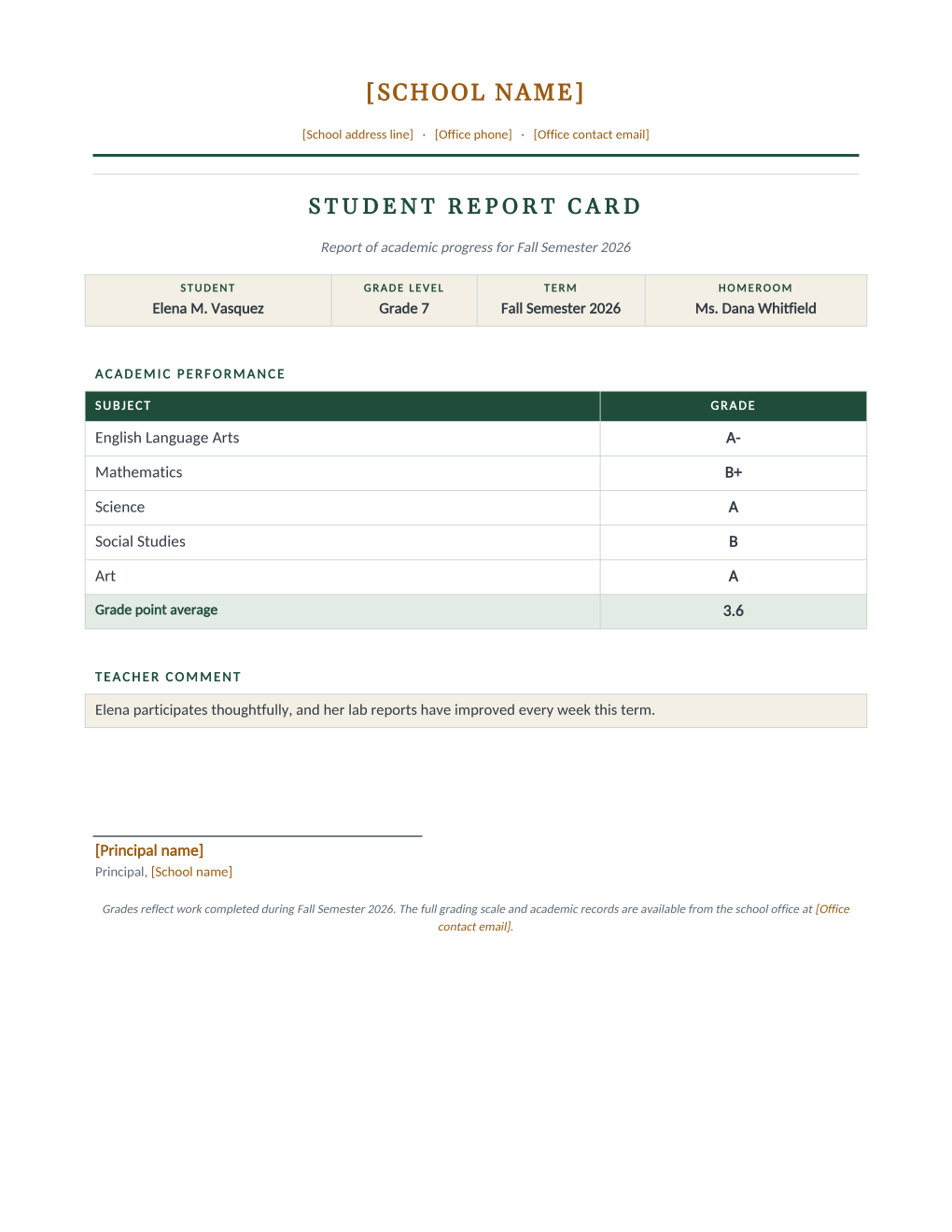
End of term means the same report card, once per student, and every retyped grade is a chance to send the wrong one home. This template treats the gradebook as the source of truth: a header strip identifies the student, term, and homeroom, a five-row table lists each subject beside its grade, a highlighted row carries the grade point average, and a comment box holds the teacher's remark for that student.
Keep it as a fill-in Word document, or connect the gradebook export and MailMergic renders a personalized report card per row, ready to print or to email to each family.
These templates are general information, not legal advice; grading and records policies vary by district, so review the layout with your administration first.
What is in the Word document
More than a block of text an AI chat can improvise: a complete, formatted document built for school offices that use it for real.
- School letterhead with editable name, address, and contact lines
- A student strip: name, grade level, term, and homeroom teacher
- A five-subject grade table with a highlighted grade point average row
- A full-width teacher comment box and a principal signature line
- Sixteen mail merge fields, so one gradebook row fills the entire card
The document
Copy the plain text below, or download the formatted Word document with the letterhead and layout built in.
FIELD REFERENCE (top to bottom on the card)

STUDENT STRIP
Student Name ........ Elena M. Vasquez
Grade Level ......... Grade 7
Term ................ Fall Semester 2026
Homeroom Teacher .... Ms. Dana Whitfield

SUBJECT TABLE (five rows)
Subject 1 / Grade 1 . English Language Arts / A-
Subject 2 / Grade 2 . Mathematics / B+
Subject 3 / Grade 3 . Science / A
Subject 4 / Grade 4 . Social Studies / B
Subject 5 / Grade 5 . Art / A
GPA ................. 3.6

COMMENT BOX
Teacher Comment ..... Elena participates thoughtfully, and her lab reports have improved every week this term.
Merge fields, one spreadsheet column each
- GPA
- 3.6
- Grade 1
- A-
- Grade 2
- B+
- Grade 3
- A
- Grade 4
- B
- Grade 5
- A
- Grade Level
- Grade 7
- Homeroom Teacher
- Ms. Dana Whitfield
- Student Name
- Elena M. Vasquez
- Subject 1
- English Language Arts
- Subject 2
- Mathematics
- Subject 3
- Science
- Subject 4
- Social Studies
- Subject 5
- Art
- Teacher Comment
- Elena participates thoughtfully, and her lab reports have improved every week this term.
- Term
- Fall Semester 2026
Sender settings, edit once in the template
- Office contact email
- office@rosemont-academy.example
- Office phone
- (555) 318-2260
- Principal name
- Dr. Howard Bellamy
- School address line
- 18 Whitfield Road, Rosemont, OH
- School name
- Rosemont Academy
Before you send
- 1.Check the gradebook export column order once against the field mapping; one shifted column would grade every student wrong.
- 2.Longest comment in the class goes in first as a test; the comment box fits about three lines.
- 3.Confirm the GPA column is the computed value you want printed; the template prints what the sheet says and calculates nothing.
- 4.If report cards go home by email, send yourself the first one and open the PDF before releasing the batch.
When to use this template
End of term reports
One gradebook export becomes the whole class set, printed or emailed to each family in one run.
Progress reports
Re-run mid-term with the same mapping; only the sheet changes.
Tutoring and programs
Five subject rows fit course modules just as well as school subjects.
Generate it for the whole class at once
One document, one class list, one personalized copy per student. That is what MailMergic is for.
Upload the document template
Use the Word download as-is, or edit it first. The mail merge fields are already in place.
Upload your class list
One row per student: names, grades, homerooms, whatever the document needs. Excel, CSV, and Google Sheets all work.
Generate and deliver
One personalized document per student. Download the whole set as PDFs, or email each family with delivery and open tracking.
Report card template FAQ
Can it calculate the GPA?
What if we grade more than five subjects?
Can each family get their card by email?
Is this an official transcript?
Other school document templates
Enrollment confirmation
Admissions letter with a boxed enrollment details table, one per accepted student.
Attendance certificate
Course title, dates, and hours on a formal record, one per student on the roster.
Absence notification
Recorded absences, the period reviewed, and a reserved meeting time, one per family.
Field trip permission slip
Trip details plus a detachable signed return stub, one per student.
Tuition statement
Itemized fees, a highlighted total due, and a remittance stub, one per family.
Scholarship award letter
Award box with the amount in large type, plus conditions stated plainly.
Course completion letter
Registrar-signed verification of completion, result, and hours, one per participant.
Parent event notice
Event name in large type, a when-where-RSVP band, and a bring list, per family.
Welcome back letter
Classroom assignment panel and a what-to-pack list, one letter per student.
All school document templates
Browse the full set of free school document templates.