


School document template
Attendance certificate for schools and courses
A formal attendance record: who attended which course, from when to when, for how many hours, with instructor and registrar signature lines. Issue one, or a certificate for the whole roster from one spreadsheet in a single mail merge run.
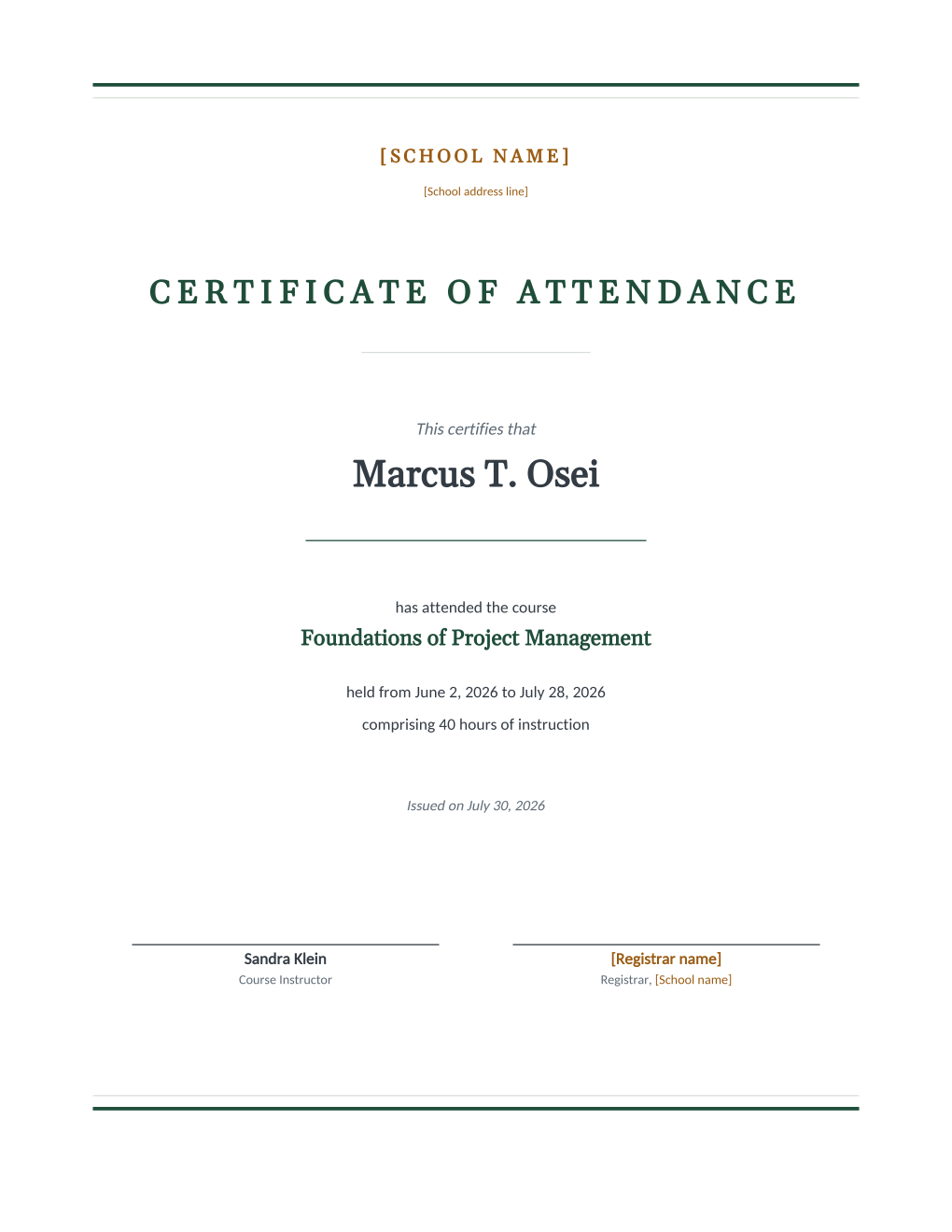
This is the attendance certificate as a record, not as wall decor: a restrained, centered document stating that a named student attended a named course between two dates for a stated number of hours, issued on a stated date and signed by the course instructor and the registrar. Training providers issue it for continuing-education hours, schools for program attendance, and both need it once per participant, which is exactly the retyping a roster spreadsheet should be doing instead.
Connect the roster and MailMergic renders a certificate per row: name, course, dates, and hours filled per student, ready to print or to email individually. Looking for a decorative certificate design instead? See our attendance certificate templates for the framed, ceremony-ready layouts; this page is the version the office files.
What is in the Word document
More than a block of text an AI chat can improvise: a complete, formatted document built for school offices that use it for real.
- A centered certificate layout with thin rules top and bottom and the institution letterhead
- A large-type student name over a signature-style underline
- A course statement: title, held-from and held-to dates, and an hours-of-instruction line
- An issue date line and two signature blocks, course instructor and registrar
- Seven mail merge fields, so one roster row fills each certificate
The document
Copy the plain text below, or download the formatted Word document with the letterhead and layout built in.
FIELD REFERENCE (top to bottom on the certificate)

LETTERHEAD
School name ......... Rosemont Academy (edited once in the template)
School address line . 18 Whitfield Road, Rosemont, OH (edited once)

CERTIFICATE BODY
Student Name ........ Marcus T. Osei
Course Title ........ Foundations of Project Management
Course Start Date ... June 2, 2026
Course End Date ..... July 28, 2026
Course Hours ........ 40
Issue Date .......... July 30, 2026

SIGNATURE LINES
Instructor Name ..... Sandra Klein
Registrar name ...... Ruth E. Calloway (edited once in the template)
Merge fields, one spreadsheet column each
- Course End Date
- July 28, 2026
- Course Hours
- 40
- Course Start Date
- June 2, 2026
- Course Title
- Foundations of Project Management
- Instructor Name
- Sandra Klein
- Issue Date
- July 30, 2026
- Student Name
- Marcus T. Osei
Sender settings, edit once in the template
- Registrar name
- Ruth E. Calloway
- School address line
- 18 Whitfield Road, Rosemont, OH
- School name
- Rosemont Academy
Before you issue
- 1.Pull the hours from the attendance register, not the course plan; a certificate stating scheduled hours a participant partly missed is the kind of record that surfaces at the worst moment.
- 2.Check name spellings against enrollment records once before the run; the certificate makes any misspelling official.
- 3.Keep the issue date consistent across the batch, ideally the date the register closed, so the set reads as one issuance.
- 4.Archive the generated PDFs next to the roster spreadsheet; when someone asks you to confirm a certificate in two years, you want the pair.
When to use this template
Training providers
Continuing-education cohorts get their hour records the day the course closes, one per participant from the sign-in roster.
School programs
After-school programs, summer sessions, and enrichment courses confirm attendance for every child on the last day.
Compliance trainings
When attendance itself is the requirement, safety briefings and mandated trainings, the certificate documents exactly that, with hours.
Generate it for the whole class at once
One document, one class list, one personalized copy per student. That is what MailMergic is for.
Upload the document template
Use the Word download as-is, or edit it first. The mail merge fields are already in place.
Upload your class list
One row per student: names, grades, homerooms, whatever the document needs. Excel, CSV, and Google Sheets all work.
Generate and deliver
One personalized document per student. Download the whole set as PDFs, or email each family with delivery and open tracking.
Attendance certificate FAQ
How is this different from your decorative attendance certificates?
Does it certify completion or just attendance?
Can I issue certificates for partial attendance?
Can each participant receive theirs by email?
Other school document templates
Enrollment confirmation
Admissions letter with a boxed enrollment details table, one per accepted student.
Absence notification
Recorded absences, the period reviewed, and a reserved meeting time, one per family.
Field trip permission slip
Trip details plus a detachable signed return stub, one per student.
Student report card
Five-subject grade table with GPA and comments, one per student from your gradebook.
Tuition statement
Itemized fees, a highlighted total due, and a remittance stub, one per family.
Scholarship award letter
Award box with the amount in large type, plus conditions stated plainly.
Course completion letter
Registrar-signed verification of completion, result, and hours, one per participant.
Parent event notice
Event name in large type, a when-where-RSVP band, and a bring list, per family.
Welcome back letter
Classroom assignment panel and a what-to-pack list, one letter per student.
All school document templates
Browse the full set of free school document templates.