


HR document template
Disciplinary action form template
A structured incident record with an incident record table and numbered incident description and action taken clauses. Copy it, download the Word document, or send a personalized form for every incident at once.
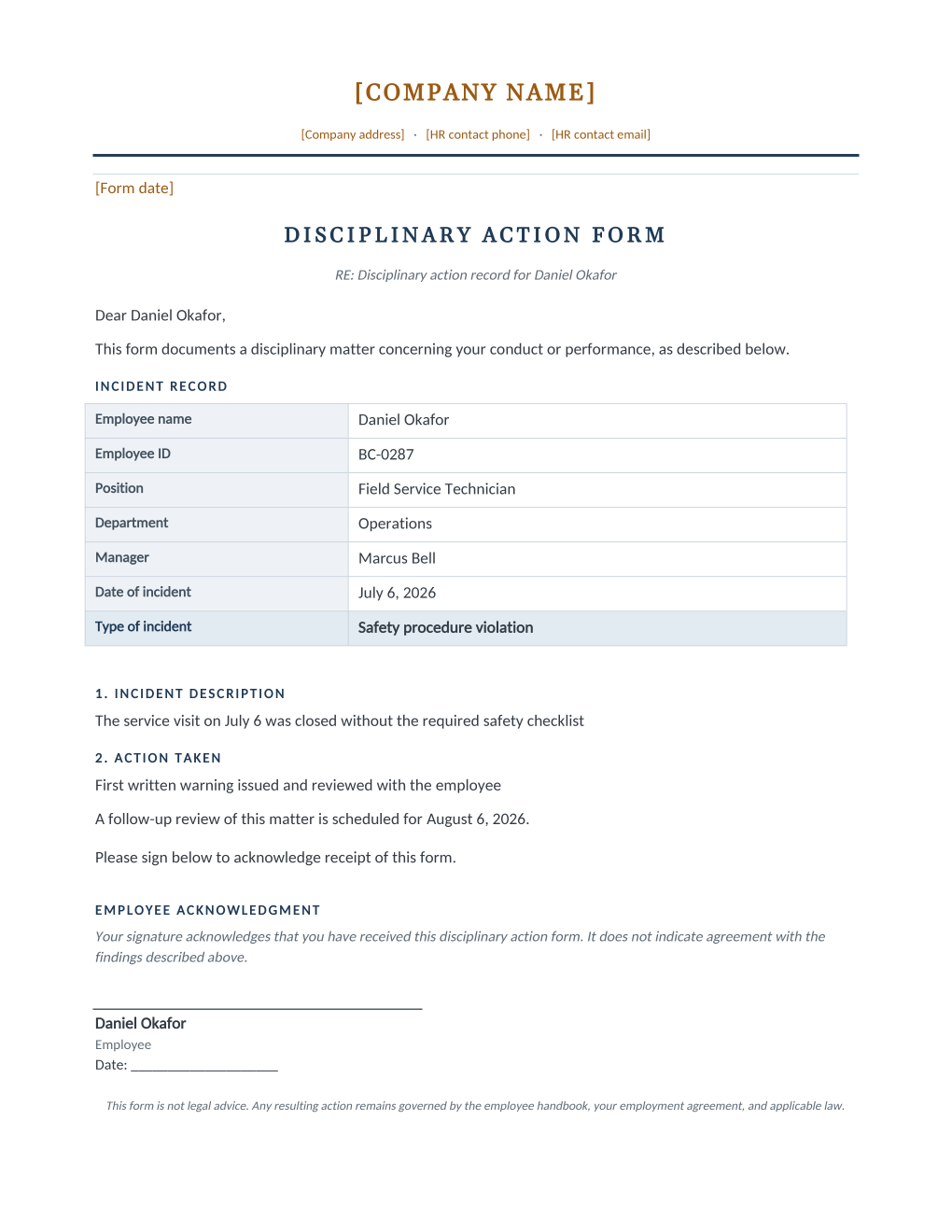
A disciplinary action form is a structured record of a workplace incident: what happened, the type of incident, and the action taken, kept in the employee's file as documentation. It is typically completed by a manager, often with HR, at the time of a disciplinary conversation.
Multi-location employers who want every manager filling out disciplinary records the same way can standardize on one form. Upload it as a Word template to MailMergic, keep a spreadsheet of incidents as they occur, and generate a consistently formatted form for each one.
What is inside the Word download
More than a block of text an AI chat can improvise: a complete, formatted document built for HR teams who send it for real.
- An Incident Record table with incident type and date up front.
- Numbered Incident Description and Action Taken clauses, kept factual.
- A follow-up review date and a receipt-only acknowledgment signature.
- Native Word merge fields for every incident detail, wired for consistent use across managers and locations.
The document
Copy the plain version below, or download the formatted Word document with your letterhead and layout built in.
{Form date}

DISCIPLINARY ACTION FORM
RE: Disciplinary action record for [Employee Name]

Dear [Employee Name],

This form documents a disciplinary matter concerning your conduct or performance, as described below.

INCIDENT RECORD
Employee name: [Employee Name]
Employee ID: [Employee ID]
Position: [Job Title]
Department: [Department]
Manager: [Manager Name]
Date of incident: [Incident Date]
Type of incident: [Incident Type]

1. INCIDENT DESCRIPTION
[Incident Description]

2. ACTION TAKEN
[Action Taken]

A follow-up review of this matter is scheduled for [Follow-Up Date].

Please sign below to acknowledge receipt of this form.

EMPLOYEE ACKNOWLEDGMENT
Your signature acknowledges that you have received this disciplinary action form. It does not indicate agreement with the findings described above.

______________________________
[Employee Name]
Employee
Date: ____________________
Merge fields: one spreadsheet column each
Filled per employee in a bulk run, straight from your HR spreadsheet.
[Employee Name]Owen Baptiste[Employee ID]EMP-6120[Job Title]Line Cook[Department]Kitchen[Manager Name]Delia Fontaine[Incident Date]August 9, 2026[Incident Type]Safety policy violation[Incident Description]You operated the walk-in freezer without following the two-person lockout procedure required by the kitchen safety policy, as observed by your shift lead.[Action Taken]Verbal counseling delivered on shift, followed by this written record and a mandatory refresher on the walk-in lockout procedure.[Follow-Up Date]August 23, 2026Fill in once before sending
Your own details, edited one time in Word (marked in amber in the download). No spreadsheet columns needed.
{Form date}August 12, 2026Before you send this form
- 1.Write Incident Description and Action Taken as observed facts, not characterizations.
- 2.Confirm Action Taken matches your progressive-discipline policy.
- 3.Set a realistic Follow-Up Date.
- 4.Route the form through HR or the employee's manager before it is finalized.
- 5.Remember the acknowledgment signature is receipt-only, not agreement with the findings.
- 6.Keep a signed copy in the personnel file.
When to use this template
Multi-manager consistency
Every manager fills out the same structured record instead of an inconsistent email or note.
Multi-location retail and hospitality
Standardize incident documentation across every store or site.
HR audit trail
Keep a consistent, dated record for every disciplinary incident across the company.
Send it to every employee at once
One document, one spreadsheet, one personalized copy per employee. That is what MailMergic is for.
Upload the document template
Use the Word download as-is, or edit it first. The merge fields are already in place.
Upload your employee spreadsheet
One row per employee: name, ID, role, dates, whatever the document needs. Excel, CSV, and Google Sheets all work.
Generate and deliver
One personalized document per employee. Download all as PDFs, or email each employee with delivery and open tracking.
Disciplinary action form FAQ
What is a disciplinary action form used for?
Does an employee have to sign a disciplinary form?
How is a disciplinary form different from a warning letter?
Can I create disciplinary forms for multiple incidents at once?
Other HR templates
Offer letter
A formal offer with a terms summary table and a signature block ready for the candidate to accept.
Employment contract
Nine numbered clauses covering compensation, hours, leave, confidentiality, and termination.
Confidentiality agreement
Protects company information and assigns work inventions, with a state invention-assignment carve-out clause.
Performance improvement plan
Documented concerns, success criteria, support, and a review date, with a receipt-only acknowledgment.
Warning letter
A formal written warning with an incident summary and a receipt-only acknowledgment signature.
Termination letter
A termination summary table plus each state’s final paycheck deadline.
Separation agreement
Severance and release terms on the federal consideration and revocation timeline, with state add-ons noted.
Employee information form
Employment details and emergency contacts in one form, with a signature confirming accuracy.
Onboarding checklist
Before day one, first day, and first month tasks, with a named buddy for every new hire.
All HR document templates
Browse the full set of free HR document templates.
These templates and state tables are general information, not legal advice. Employment law varies by state and country and changes often; the tables on these pages cover US states only, while employment documents like these can create binding obligations in any jurisdiction. Confirm the current requirements for your jurisdiction or consult an employment attorney before sending.