
Performance Review Documents from One HRIS Export: One File per Employee

Calibration locked Tuesday night. The master workbook now holds 240 rows: three category ratings each, a weighted overall score, manager comments, and, for 214 rows, an approved merit increase. Rate, calibrate, communicate is the conventional order, and the cycle is now at communicate.
That workbook is a debt. Every employee is owed a review summary, 214 are owed a comp letter, and the file that holds it all must never leave HR. The manual answer is 240 save-as passes per artifact; call it 80 hours for the summaries alone.
Here is the idea this article is built on: the summary, the comp letter, and the packet are the same job run with different templates. One export, one template per artifact, one file per employee, and a mail merge run generates one scoped document per row. What follows is the full build: the summary with the score arithmetic printed on the page, the comp letter from the same rows, the packet defined properly, delivery with receipts, and the honest limits, including that a manager with eight reports receives eight files.
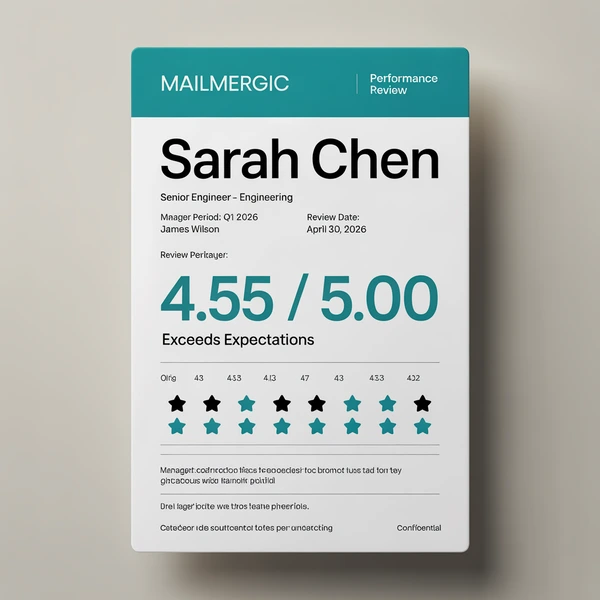
Free workbook
performance-review-template.xlsx
The complete build from this article: the 240-row export, the summary and letter templates, and the score arithmetic already wired. No signup.
Table of contents
- One export, one template per artifact, one file per employee
- The HRIS export: one row per employee, every column the cycle needs
- Two mistakes the document phase cannot survive
- The review summary, built in full
- Preview the employees who break the batch
- The comp letter: a second template on the same rows
- The review packet: every artifact in one file per employee
- Delivery to managers: eight reports, eight files
- The rating that changes after the lock
- The Mac, the macro, and the next cycle
- Frequently asked questions
- One export in, 240 documents out
One export, one template per artifact, one file per employee
Every document HR owes at cycle end has the same shape: identity columns plus artifact-specific columns, one template, one file per employee. The review summary, the comp letter, the review packet, and a total-rewards-style statement are four templates over one export, not four projects.
| Artifact | When in the cycle | Columns it reads | Ships as |
|---|---|---|---|
| Review summary | Communication week (all 240 rows) | Ratings, comments, goals | PDF to the manager |
| Comp letter | After approvals (the 214 rows with an increase) | Salary, increase, effective date | PDF, filed after the private conversation |
| Review packet | Cycle end (240 rows) | Both sets | One multi-part PDF per employee, filed |
| Total-rewards-style statement | Off cycle | Comp and benefits |
Search this topic and two camps answer. Template galleries hand you one blank form to fill 240 times. Writing advice tells you what the summary paragraph should say. Neither answers what happens after the form is filled 240 times.
To be fair to the HRIS, the performance module collects ratings and sign-offs competently. The letters step is simply not covered, which is why the cycle still ends in an export. The export is not a failure. It is the workflow, and the document phase is the last mile nobody’s software owns.
The mechanism underneath is Excel to Excel mail merge, and the complete guide walks every wizard screen, so this article stays on the HR-specific parts. One scope rule up front, because it shapes the delivery section later: the engine generates one file per row, period. Every member of the family is per-employee. Nothing on this page consolidates across employees.
The HRIS export: one row per employee, every column the cycle needs
One data sheet, 240 rows. Rating columns feed the summary, salary columns feed the letter, identity columns feed everything, and the email columns feed the routing. The export uses columns A through V, plus three computed columns you add: title_shown (W), the check tripwire (X), and full_name (Y):
| Column | Example | Where it lands |
|---|---|---|
employee_id (A) |
E-1207 | Filename |
first_name (B), last_name (C) |
Jonas, Weiss | Greeting, filename, full_name |
job_title (D), new_title (E) |
Support Engineer, blank | Resolved into title_shown |
department (F) |
Customer Support | Header block |
manager_name (G) |
Priya Nair | Context line |
manager_email (H) |
p.nair@example.com | Routing |
review_period (I) |
2026 Annual | Title line |
hire_date (J) |
2026-03-09 | Tenure line |
results_rating (K), competencies_rating (L), collaboration_rating (M) |
4.0, 3.0, 3.5 | Category table |
overall_score (N, computed) |
3.5 | Ranked at calibration |
prior_score (O) |
blank | Prior-cycle line |
manager_comments (P), development_goal (Q) |
text | Whole-cell placeholders |
current_salary (R), merit_pct (S) |
61,800, 0.04 | Comp letter |
new_salary (T, computed), effective_date (U) |
64,300, 2026-10-01 | Comp letter |
employee_email (V) |
j.weiss@example.com | Run 2 routing |
title_shown (W, computed) |
Support Engineer | Header block |
check (X, computed) |
blank | Pre-flight tripwire |
full_name (Y, computed) |
Jonas Weiss | Title lines |
The overall_score column is the bridge from the calibration meeting to the documents: =ROUND(K2*0.4 + L2*0.35 + M2*0.25, 1) filled down is what the meeting ranked. Calibration edits category ratings in these rows; when it locks, the same rows generate the documents. Nothing is retyped between the meeting and the mail merge run.
Three more computed columns resolve decisions before any document exists. new_salary (T): =ROUND(R2*(1+S2), -2) filled down, so 61,800 at 4 percent becomes 64,300 (round to the hundred your comp policy uses). title_shown (W): =IF(E2<>"", E2, D2), so a mid-cycle promotion beats the old title without the template ever containing promotion logic. And full_name (Y): =B2&" "&C2 filled down, so the name lands in title cells as one whole-cell placeholder.
The manager_comments column pays off before any document exists: 240 comments read on one screen in one sitting, and the empty cells are your nudge list.
One tripwire belongs in the export before upload: the check column (X), =IF(COUNTBLANK(K2:M2)>0, "INCOMPLETE", "") filled down, filtered to zero results before you generate. The row it exists for is the hire rated on two of three categories.
Underscore names keep inline placeholders working (Dear @first_name,) in generated files; whole-cell placeholders accept spaces, and they are the kind the editor’s live preview resolves, so give any field you want to watch its own cell. Header detection scans the first 15 rows with a “Change” banner, and the export can also live in a separate file (.xlsx, .csv, .ods among others) or a Google Sheet via OAuth, a snapshot at connect time (reselect to refresh). Assembling the export from the HRIS is input-side work; the Power Query comparison walks that side of the pipeline.
Download this build. performance-review-template.xlsx is the workbook this article describes: the 240-row export with Jonas Weiss at row 118, the summary and letter templates, and the score arithmetic already wired. Free, no signup. A run reads a single sheet as its data source, so the file ships with Data first: upload it unchanged and that is already the sheet it merges from. Paste your own export over it when you are ready; the templates do not change. Sample addresses use example.com.
Two mistakes the document phase cannot survive
The first is the all-staff sheet. A supervisor means to send one person their own numbers and attaches the whole workbook. Coworkers compare within minutes, and recall fails. Misdirected email is among the most commonly reported breach types to the UK regulator, and the wrong spreadsheet attachment is a recurring pattern in incident reports.
The second is the off-by-one. Somewhere in a 240-pass copy-paste loop, one slip pastes row 118’s ratings into row 119’s document. Nobody notices at send time. It surfaces when two employees compare letters, and there is no graceful recovery from either the numbers or the conversation.
The answer is structure, not diligence. Checking twice does not scale to 240. A document generated from row 118 contains row 118 and nothing else, because the roster was never in it. The general argument is in five properties only a file has; HR is the audience for whom scoped by construction is not a property but the job description.
The mechanics that make it true: the data sheet is excluded from the output with a right-click toggle, the master workbook never leaves HR, employee documents ship as PDF, and a per-file password can be applied to the batch run (one password across the run).
Two realities stay yours, not the tool’s: works council approval of appraisal criteria, and DSAR discipline. A one-employee-per-document output happens to make a subject access request clean to fulfill, because there is no third-party data to redact out of the file.
Data handling, once: files are processed in EU data centers and encrypted in transit and at rest; MailMergic is GDPR and CCPA compliant, files are never used for AI training, and retention is configurable from 1 to 180 days (privacy).
The review summary, built in full
The target is one portrait page that reads like the form you already use, except every varying cell is a merge field. It is the family’s exemplar: the comp letter later reuses everything built here except the columns it reads. Set the page early: per-sheet page setup and a print area from the Print Settings ribbon tab, so the PDF is one clean page per employee.
The performance review summary template, cell by cell
The header block: @full_name as the title, resolved on the data sheet by the computed column so the name stays one whole-cell placeholder, then @title_shown, @department, @review_period, and a context line naming @manager_name.
The category table: C6, C7, and C8 hold @results_rating, @competencies_rating, and @collaboration_rating. Column A carries the category labels and your 1 to 5 anchor text. D6:D8 print the weights as static text, 40%, 35%, 25%, so the arithmetic sits on the page the employee reads.
The prose fields, @manager_comments and @development_goal, live in wrapped cells combined with Excel’s Merge and Center, sized for the longest paragraph in the column; the preview section will find that paragraph. The tenure line uses hire_date, so a partial-period review names its true window. Signature and date lines stay static. Typing @ opens the filtered column picker; the editor mechanics stay in the complete guide.
The weighted overall score in plain arithmetic
C9 computes the score:
=ROUND(C6*0.4 + C7*0.35 + C8*0.25, 1)
Results 40 percent, competencies 35, collaboration 25. The weights must sum to 1; a 0.4/0.35/0.3 typo inflates every score in the company by the same invisible margin.
For Jonas Weiss the arithmetic reads 1.6 + 1.05 + 0.875 = 3.525, and ROUND to one decimal gives 3.5. The score is an explained result the employee can check against the weights printed beside it, not a verdict from nowhere.
Plain arithmetic is a deliberate choice: transparent to whoever inherits the template, auditable in a dispute, and squarely on the documented recalculation path. Denser one-cell forms of the same weighting exist; anything beyond plain arithmetic earns a one-row test before the batch.
One trap the arithmetic hides: a blank cell evaluates as 0, so an employee rated 4, 4, and not-yet on collaboration silently prints a plausible 3.0. The fix lives in the data, before any file exists: the INCOMPLETE tripwire from the schema section. One editor expectation: before any row substitutes, C6:C8 hold literal @ text, so C9 shows an error rather than a score; arithmetic over placeholder text has nothing to compute. Step the floating “Row N of M” preview and it resolves employee by employee.
Band labels and formatting that travel
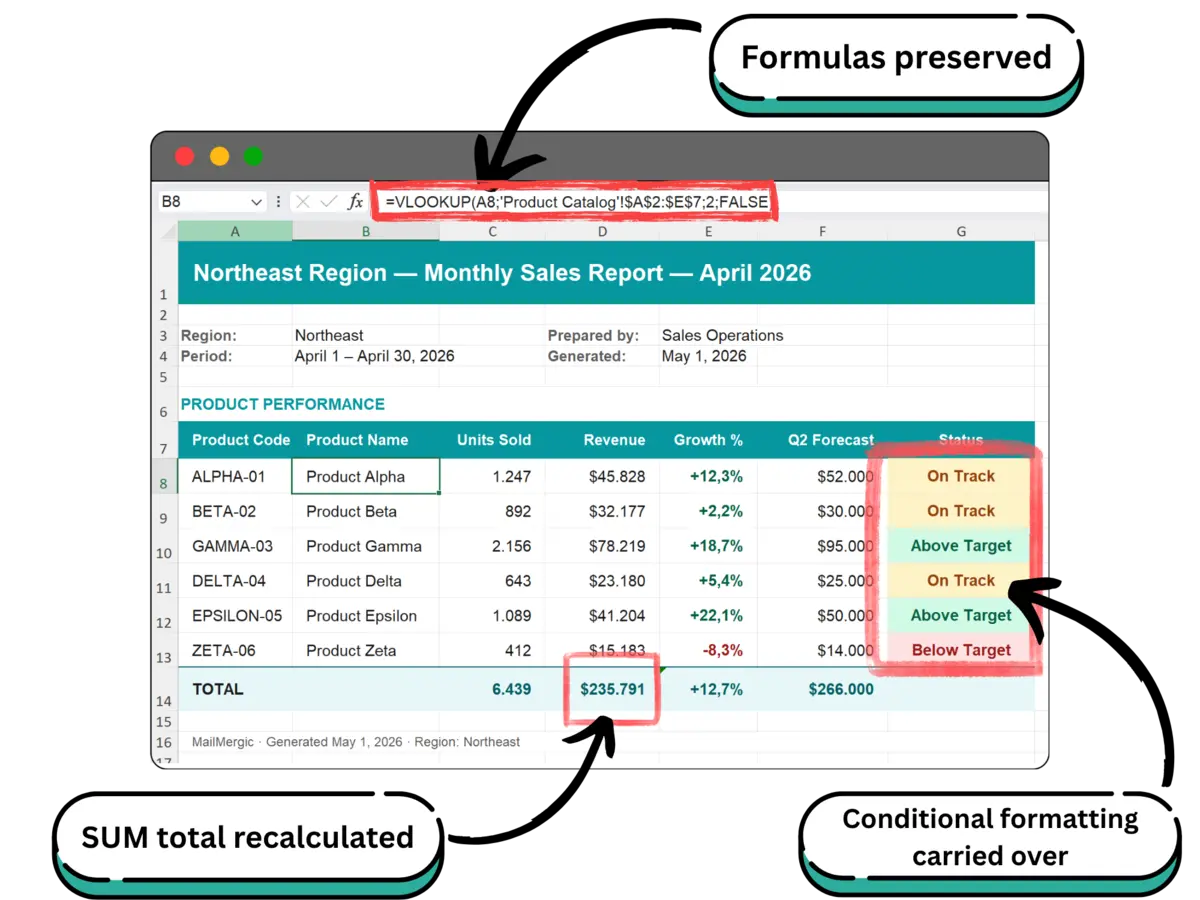
The band cell C10 uses nested IF, which is on the recalculation list:
=IF(C9>=4.5, "Outstanding", IF(C9>=3.5, "Meets expectations", IF(C9>=2.5, "Developing", "Below expectations")))
The thresholds are placeholders for your scale’s anchors; 3.5 lands Meets expectations. Do not use a VLOOKUP against a separate excluded Bands sheet; what a lookup into an excluded sheet displays in a delivered file is exactly the question this series never assumes an answer to.
The formatting split: a color scale or icon set on the three category cells is documented as carrying through, and a low-score highlight belongs on the overall score cell itself as a cell-value rule (less than 2.5), the documented kind; a formula rule tinting a whole block is not on the preservation list. Number formats are set once and applied 240 times: one decimal on ratings so 3.5 prints as 3.5, a date format on the tenure line. The full preservation list is in the foundation guide.
Preview the employees who break the batch
Do not preview only row 1; row 1 is the employee the template was designed around. Step the floating “Row N of M” preview to the rows that break review batches:
- Jonas Weiss, row 118, hired March 9. The tenure line must name the partial period, and the prior-cycle line must read blank as “First cycle”, not 0. The guard is a template cell holding
=IF(C11="", "First cycle", C11), with@prior_scoreparked in helper cell C11 outside the print area. - Aline Castro, promoted mid-cycle. Her title resolves once on the data sheet (
title_shown), so the template needs no promotion logic. The preview just proves it. - The lowest overall in the company, a 1.9, deliberately unnamed. The nested IF must land Below expectations, the cell-value rule on the score must actually fire (a rule that never fires looks identical to a rule that broke), and this comments cell will be read more closely than any other in the batch. It is usually also the longest
manager_commentsparagraph; check what the wrapped block does with 900 characters. - The longest name in the roster, a 34-character double surname. The title cell wrap and the filename both have to survive it.
- The two employees who share a surname. Two Weisses in 240 rows is the norm, not the exception, which is why the filename pattern carries the id:
Review_2026_@employee_id_@last_name.pdfbecomesReview_2026_E-1207_Weiss.pdf.
Close with the one-row test: generate one summary and open it exactly as the manager will. About a minute, and it answers whether anything renders as #NAME? or #VALUE! and whether the formula rule landed. Macros are stripped on upload, so any scoring that lives in VBA today moves into cells first.
The comp letter: a second template on the same rows
Nothing about the data changes. The letter reads the columns the summary never touched: current_salary, merit_pct, new_salary, effective_date.
The letter is prose plus a small numbers block. Inline fields carry the prose: Dear @first_name, and a sentence naming the new salary and @effective_date. Inline cells substitute at generation, so read them in the one-row test; the live preview resolves whole-cell placeholders, which is where the numbers block earns its keep. Merit letter conventions are cheap to follow with merge fields: state the change plainly, name the effective date. The numbers block shows current salary 61,800 from @current_salary, new salary 64,300 from @new_salary, and an increase line =C14-C13, one subtraction in the template, printing 2,500. A currency number format set once prints correctly in all 214 letters.
The math lives where the approval lives: comp review approved a number, not a formula, so new_salary resolves on the data sheet and the approval trail stays in one auditable column. The letter and the summary can never disagree, because both were built from the same row.
The batch is the row set: one file per row. 214 of 240 rows carry an increase, so the letter run uses a row source holding only those rows, in practice a filtered copy of the data sheet. The 26 flat rows either get a no-change letter from the same template or stay out of the batch; decide which, and do not let it happen by accident.
Convention for delivery: the manager communicates the increase in a private conversation; the letter follows to the employee’s record. And the fourth family member takes one sentence: a total-rewards-style statement is the same pattern, with salary staying in C13, pension, bonus, and benefits taking C15, C16, and C17, and a plain sum (=C13+C15+C16+C17) totaling them. Merit increase letter, salary notice, total compensation statement: different names, same row.
The review packet: every artifact in one file per employee
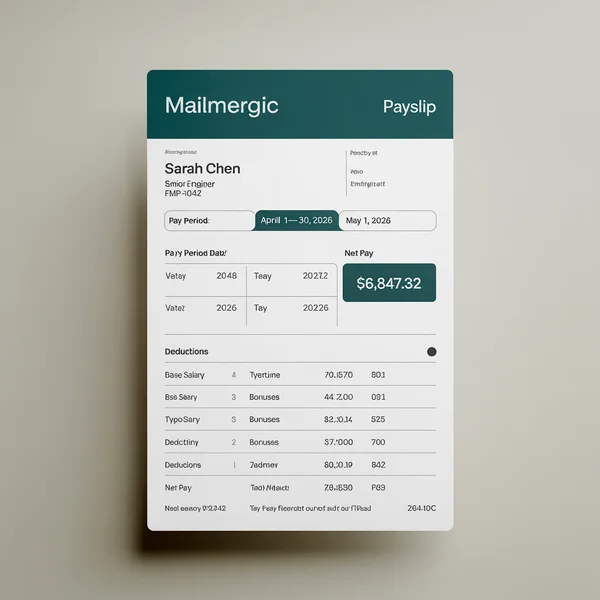
The term is used everywhere and defined nowhere, so here is the definition: a review packet is everything one employee takes away from the cycle in one file. The summary page plus the comp letter page, plus a goals sheet if you keep one. One employee, one file. That is the whole definition.
Templates are sheets, so the packet is a multi-sheet template. A Summary sheet and a Letter sheet in one workbook produce one two-part output per row, and per-sheet page setup keeps each part on its own page. The month-end build ships three sheets per region with the same mechanics.
Sheet toggles make one workbook serve every run: a right-click chooses which template sheets render this time. Summary-only in communication week, letter-only after approvals, the full packet for the records file. The honest limit: sheet selection is per run, not per row. Every row in a run gets the same sheets.
What a packet is not, stated before anyone asks: a manager bundle. One file never holds two employees. The combined single PDF option renders all records into one document (PDF only) and is an internal read-through artifact for HR, never a distribution file.
The format call: employee documents ship as PDF; the pricing build makes the general PDF or workbook argument. If an .xlsx ever ships, the same one-row-test discipline applies, and nothing here assumes what excluded-sheet references display in a delivered workbook. Filing is mechanical: Packet_2026_@employee_id_@last_name.pdf drops into each employee’s HRIS document record, and the ZIP sorts by id.
Delivery to managers: eight reports, eight files
Routing is a column decision. Set manager_email as the recipient column and each summary goes to the manager who runs the conversation. The attachment comes from the same row that built it, so nobody ever picks one file out of 240 by hand; the wrong-attachment failure mode from the two-mistakes section is closed structurally.
The honest arithmetic, before you ask: Priya Nair has eight reports, so eight rows carry her address, and she receives eight emails, each with one scoped PDF. There is no per-manager consolidated file. Eight reports means eight files. The shape is defensible for exactly one reason: each file forwards into its own 1:1 without touching the other seven. A consolidated bundle would rebuild exactly the exposure this build exists to remove.
Make the eight emails usable: the subject carries merge fields (Review summary: @first_name @last_name, 2026 Annual), so a manager’s inbox reads as a checklist of conversations to schedule.
Two runs, one configuration: run 1 goes to managers before conversation week; run 2, after sign-off, switches the recipient column to employee_email, or skips sending entirely and files the ZIP.
Receipts turn the send into a ritual: delivery, opens, and bounces land per recipient in a dashboard. Thursday’s unopened list is the manager nudge list. A bounce is the departed manager the export missed, caught on day one instead of in a hallway on conversation day. Own-domain sending is a paid-plan feature.

The rating that changes after the lock
It happens every cycle. An appeal lands on Tuesday of conversation week, and a director bumps one employee’s results rating from 2 to 3.
The fix is one cell: edit results_rating in that row. The overall recomputes from 3.2 to 3.6, and the label flips from Developing to Meets expectations on its own, because the label reads the score and the score reads the ratings.
Then regenerate: a full re-run is about a minute, and if you want only the corrected file, a filtered one-row copy of the data sheet is the row source. The filename pattern produces the identical name, so the corrected file replaces the stale one wherever it was filed. Regeneration replaces resending.
The audit story: the correction exists in exactly one place, the data sheet, before it exists in any document. A folder of 240 hand-edited copies never learns about corrections. The workbook always does.
The Mac, the macro, and the next cycle
The VBA version of this exact workflow is the no-VBA guide’s workflow 3: the macro that does not run on Mac Office, so the HR director borrows a Windows machine once a quarter. The browser version retires the ritual: any OS, nothing installed. Migrating takes 2 to 4 hours including testing; the first mail merge run takes about five minutes; re-runs about a minute.
The cycle rhythm, compressed:
- Export. The day ratings lock: pull the export and fill down the computed columns.
- Sweep. Read the comments column on one screen; chase the empties.
- Preview. Step the five hard rows; run the one-row test on the lowest score.
- Generate and send. Spot-check two files against the data sheet, send run 1, watch for the bounce.
- Follow through. Nudge the unopened; handle the appeal with one cell and one re-run.
The next cycle is a paste, not a rebuild: fresh export into the data sheet, one fill-down on review_period, re-run. The template is finished work from last cycle; resist redesigning it mid-cycle. And one thing never changes: nothing runs unattended. The configuration persists, so the rhythm is paste, preview, run, and sending is one click.
Housekeeping: one credit per generated row, so 240 summaries cost 240 credits per run, and the free plan covers a real pilot batch (pricing). The 25 MB and 100,000-row limits are nowhere in sight, and generation makes most of the pre-send checklist true by construction.
Frequently asked questions
Q: How do I generate a performance review document for each employee from one Excel file?
A: Keep one row per employee and a template whose varying cells are @column merge fields. A mail merge run generates one scoped file per row, named from your columns, downloaded as a ZIP. 240 rows produce 240 documents in one run.
Q: How do you calculate a weighted overall performance score from category ratings in Excel?
A: Plain arithmetic: =ROUND(C6*0.4 + C7*0.35 + C8*0.25, 1) for a 40/35/25 weighting. Check that the weights sum to 1, and treat denser one-cell forms as candidates for a one-row test before a batch.
Q: How do I keep employees from seeing each other’s ratings when I send review documents?
A: Generate each document from that employee’s row with the data sheet excluded from the output, and pull the recipient address from the same row. Hiding rows or filtering a shared workbook is not redaction; a generated file never contained anyone else’s data.
Q: Can a manager get one combined file with all of their direct reports’ reviews?
A: No. The engine generates one file per row, so eight reports means eight files, each routable to the manager’s address from its own row. The combined PDF option renders all records into one internal document and is not a per-manager bundle.
Q: Can an employee request a copy of their performance review under GDPR?
A: Generally yes, and responses must redact third-party data. That obligation is yours, not the tool’s, but a document that only ever contained one employee’s row has no coworker data to redact, which makes the request clean to fulfill.
Q: How do I create merit increase letters from the same spreadsheet as the reviews?
A: Add a second template that reads the salary columns: @current_salary, @new_salary (resolved on the data sheet), @effective_date. Run it against the rows that carry an increase. Letter and summary come from the same row, so they can never disagree.
Q: What goes in an employee review packet?
A: Everything one employee takes away from the cycle, in one file: the review summary, the comp letter, and a goals sheet if you keep one. Mechanically it is a multi-sheet template producing one multi-part PDF per employee. Never a manager bundle.
Q: Can I password protect the generated review documents?
A: Yes. PDF output supports a per-file password, with the same password across the batch run. Treat it as transport protection; the primary control is that each file was generated from one row and never contained anyone else’s data.
Q: Does this workflow run on a Mac, or do I still need the Windows machine with the macro?
A: It runs in the browser on any OS, with no Office install. The Mac-bound macro that forced the quarterly Windows-machine ritual is the exact workflow the no-VBA guide retires.
Q: Can I schedule the review documents to send automatically when the cycle closes?
A: There is no timer. The configuration persists, so the rhythm is: paste the fresh export, re-run in about a minute, and sending is one click. If unattended sending is a hard requirement, a workflow platform is the honest answer, monitoring burden included.
One export in, 240 documents out
The Tuesday-night workbook becomes every document the cycle owes without ever leaving HR: summaries in communication week, letters after approvals, packets to the records, each file scoped to one employee because it was built from one row. The rule fits in one line: one export, one template per artifact, one file per employee.
The first run takes about five minutes on the free plan with your own export. That is less than one save-as pass for a single employee.
Generate your review documents →
New to the mechanism? Start with the complete guide. Replacing the macro? The no-VBA guide walks the migration. Weighing tool classes? Read the decision guide. The customer-facing variant is the pricing sheet build, and the finance variant is the month-end pack. The rent roll walkthrough is live, and the formula preservation deep dive completes the series.

Upload XLSX · Get XLSX or PDF