
Sign In with a Passkey: Your Fingerprint Instead of a Password

Passwords ask a lot of you. They should be long, unique, rotated and remembered, and after all that discipline they can still be phished by one convincing fake login page. Which is why the industry, from Apple to Google to Microsoft, has settled on a successor: passkeys.
MailMergic now supports them. Add a passkey to your account, and from then on signing in is your fingerprint, your face, or your device PIN. Nothing to type, nothing to remember, nothing a fake page could steal.
Set up in seconds
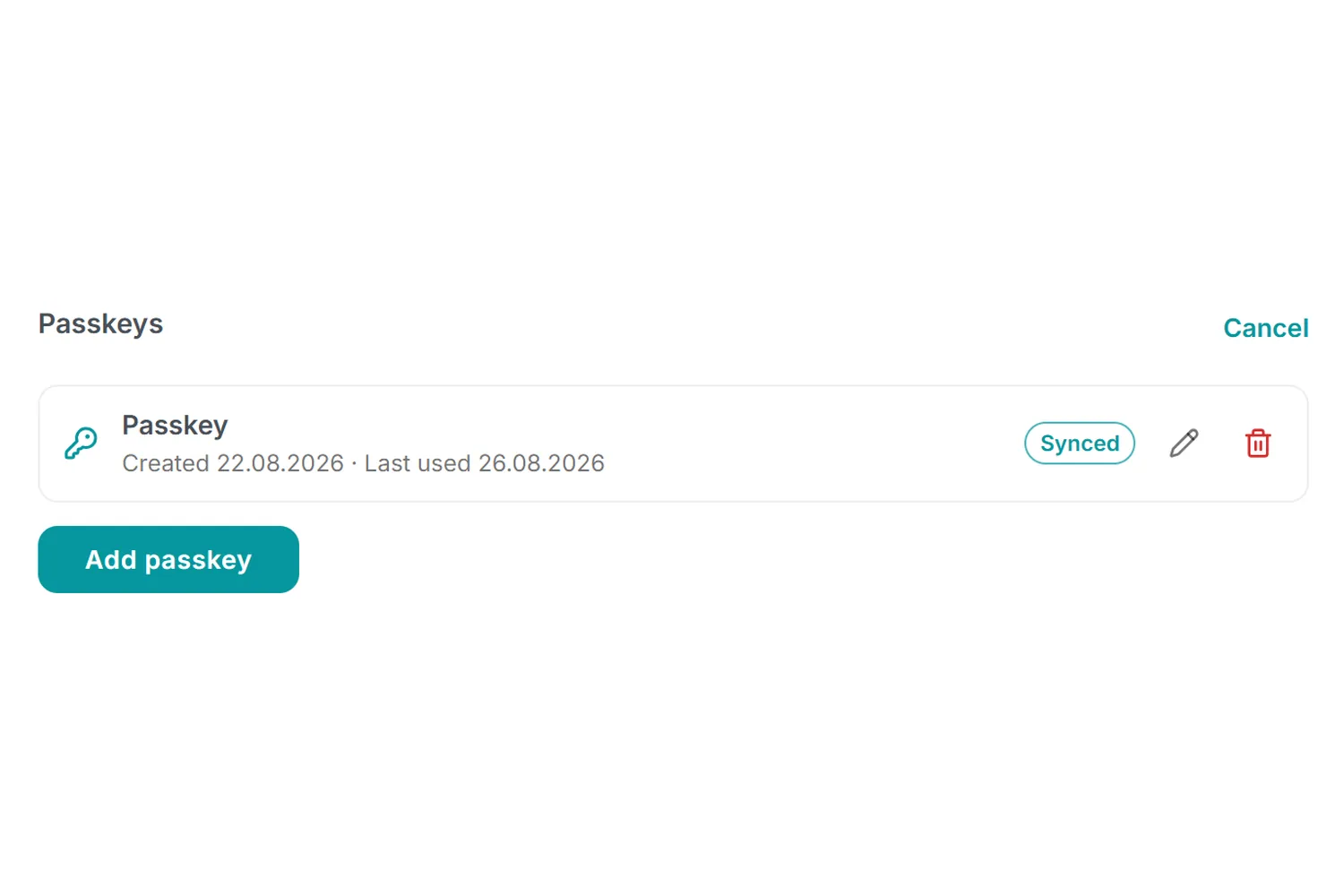
Open your account settings and find the new Passkeys section. Click Add passkey, confirm with your fingerprint, face or PIN, and you are done. The next time you sign in, press Sign in with a passkey on the login page and your device handles the rest. You don't even type your email address.
Why it's safer than a password
A passkey is a cryptographic key pair. Your device keeps the private half and proves it's you without ever sending a secret anywhere. That means there is nothing to leak in a breach, nothing to guess, and nothing to type into a phishing site: a passkey simply refuses to work anywhere except the real MailMergic. And because your device has already verified you, there is no extra code to enter afterwards.
Your password keeps working alongside, so there is always a fallback. Add a separate passkey on each device you use, or let your password manager or your Apple or Google account sync one across devices; the Passkeys section shows which of yours are synced, and you can rename or remove any of them at any time.
Where it helps
- Every morning: one touch and you are in, no typing ritual
- On your phone: pairs perfectly with MailMergic's new mobile experience, where typing passwords hurts most
- No more resets: nothing to forget means no reset email on the day of a deadline
- Security keys: hardware keys work too, if your organisation uses them
Add yours today
It takes about ten seconds: open your account settings, find Passkeys, click Add passkey. Your password will start feeling old-fashioned immediately.
