
MailMergic Inside Google Sheets: Start a Mail Merge Without Leaving Your Spreadsheet

If your data lives in Google Sheets, the first minutes of every job used to be spent on housekeeping. Download the sheet. Find it in the downloads folder. Switch tabs. Upload it. Hope you grabbed the right version, because the one you exported on Tuesday is in there too.
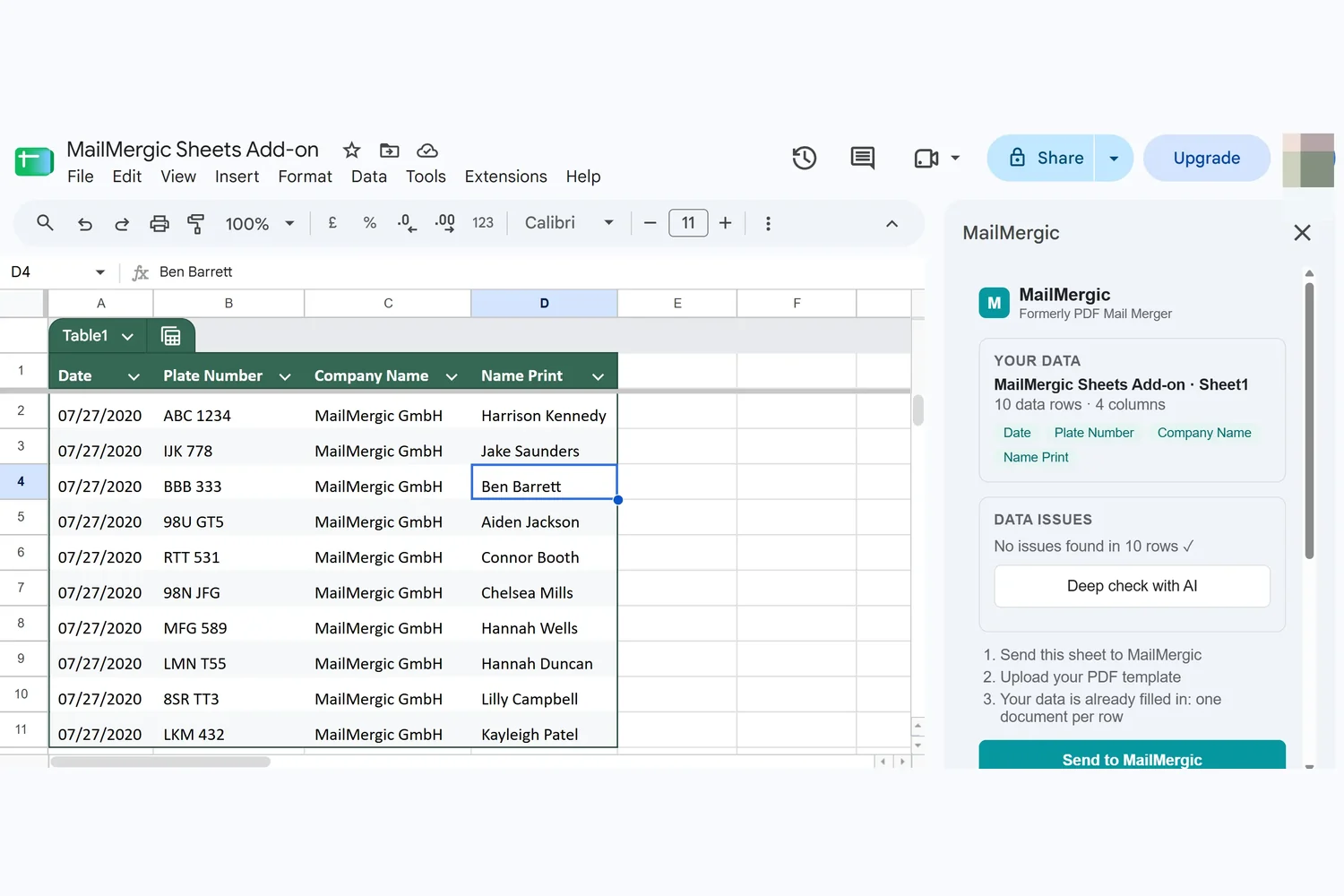
The MailMergic add-on for Google Sheets takes that stretch out. Install it once and it appears in the Extensions menu of every spreadsheet you open. The sidebar reads the sheet you're looking at, tells you what it found, and hands your rows to the MailMergic wizard.
How it works
Install it once from the Google Workspace Marketplace. It's free, it works with any Google account, and there is nothing to configure afterwards.
From then on, open any spreadsheet and choose Extensions, then MailMergic. The sidebar opens on the right and reads the sheet you have in front of you: how many rows it holds and which columns it found, listed by name so you can confirm at a glance that it's looking at the right thing.
Then it's two steps. The sidebar exports the sheet you're on and opens MailMergic with that data ready, so you land in the wizard at the point where you choose your template and place your fields. The part you actually came to do.
What it can and can't see
The add-on is scoped to the spreadsheet it is open in. That's not a policy we're describing, it's the permission it asks for: Google's spreadsheets.currentonly scope, which limits an add-on to the file the user opened it in. It cannot browse your Drive, it cannot see your other spreadsheets, and it doesn't ask you to hand over access to them.
Within that one spreadsheet, the add-on reads your rows and hands them to the wizard. It doesn't change what's in your sheet, so your data goes one way, out of the sheet and into the mail merge you're setting up.
Where it helps
- The sheet is the source of truth: a roster a colleague keeps updating, a signup form's responses, a tracker several people edit. Take the current state without making a copy that starts going stale immediately
- You do this every month: same sheet, new rows. Two clicks from spreadsheet to wizard instead of a download and an upload every time
- Forms feed your documents: Google Forms responses land in a sheet, and that sheet is one menu item away from becoming certificates, confirmations or letters
- You're on a shared machine: nothing gets downloaded, so nothing is left behind in a downloads folder that isn't only yours
Install it
The add-on is listed on the Google Workspace Marketplace and installs in a click. After that it's simply there, in every spreadsheet, whenever the rows in front of you need to become documents.
Install the MailMergic add-on for Google Sheets and start your next mail merge from the sheet you already have open.
