


Run Every Mail Merge Offline: Word, Excel, PDF, Images, and Email

Some documents simply can’t leave the building. Student records, patient letters, employee contracts, the kind of paperwork where sending names and details up to the cloud just isn’t an option, whether because of a privacy rule or a nervous feeling in your stomach.
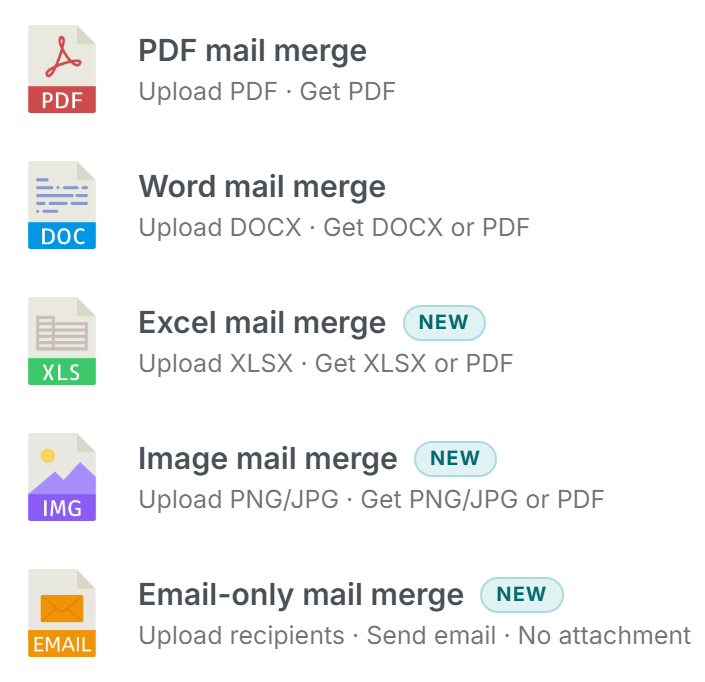
The MailMergic Offline app was built for exactly those moments. Until now it could only handle PDF merges. Today, it does everything the web version does, right on your own computer: Word documents, Excel spreadsheets, PDFs, image templates, and sending emails.
Everything stays on your machine
This is the part that matters most. When you run a merge in the Offline app, the whole process happens locally on your computer, including the engine that actually builds your documents. Nothing is uploaded anywhere. You don’t even need an internet connection for the merge itself.
So when you drop in a spreadsheet full of names, addresses, salaries, or medical details, those details never travel. They go from your file, through the app, and into your finished documents, all without leaving your desk. There’s no upload step to worry about, no server holding a copy somewhere, and nothing to explain to a worried client or a compliance officer.
That peace of mind is the whole point. You get the convenience of automated mail merge with the privacy of working on paper at your own desk.
The same tools you already know
You don’t have to learn anything new. It’s the same familiar MailMergic, just running on your desktop instead of in a browser. Every document type is covered:
- Word documents: personalize letters, contracts, and reports from a .docx template
- Excel spreadsheets: fill in worksheets row by row from your data
- PDFs: the original Offline feature, still here and still solid
- Image templates: create certificates, badges, or cards with personalized text and pictures
- Email: send personalized messages straight from the app
Pick the template, point it at your spreadsheet, and the app does the rest, the same way the web version always has. The buttons are in the same places, the steps follow the same order, and the results look exactly as you expect. The only thing that’s different is where it all happens.
Who this is for
If you handle information that can’t leave the building, this is the version for you:
- Law firms: generate client letters and case documents without sending anything offsite
- HR teams: produce contracts, offer letters, and payroll notices privately
- Clinics: prepare patient correspondence while keeping records on-site
- Schools: print certificates and parent letters from student data that stays local
- Government offices: run sensitive merges with no connection required
And if your internet happens to be slow, spotty, or simply not there that day, none of it gets in your way. The work just keeps moving.
Download the MailMergic Offline app and run your next merge (Word, Excel, PDF, image, or email) entirely on your own machine.