


Mail Merge Onto Images: Personalize Hundreds of Badges, Tickets, and Social Posts

You’ve got a beautiful event badge or a social-media graphic, and now you need a hundred of them, one for each guest, each student, each new member. Editing them one by one in a photo app is slow, tedious, and easy to get wrong.
Until now, MailMergic could personalize PDFs and Word documents. Today we’re adding something we think you’ll love: you can now mail merge straight onto an image. Upload a picture, drop in your fields, and let MailMergic do the repetitive work for you.
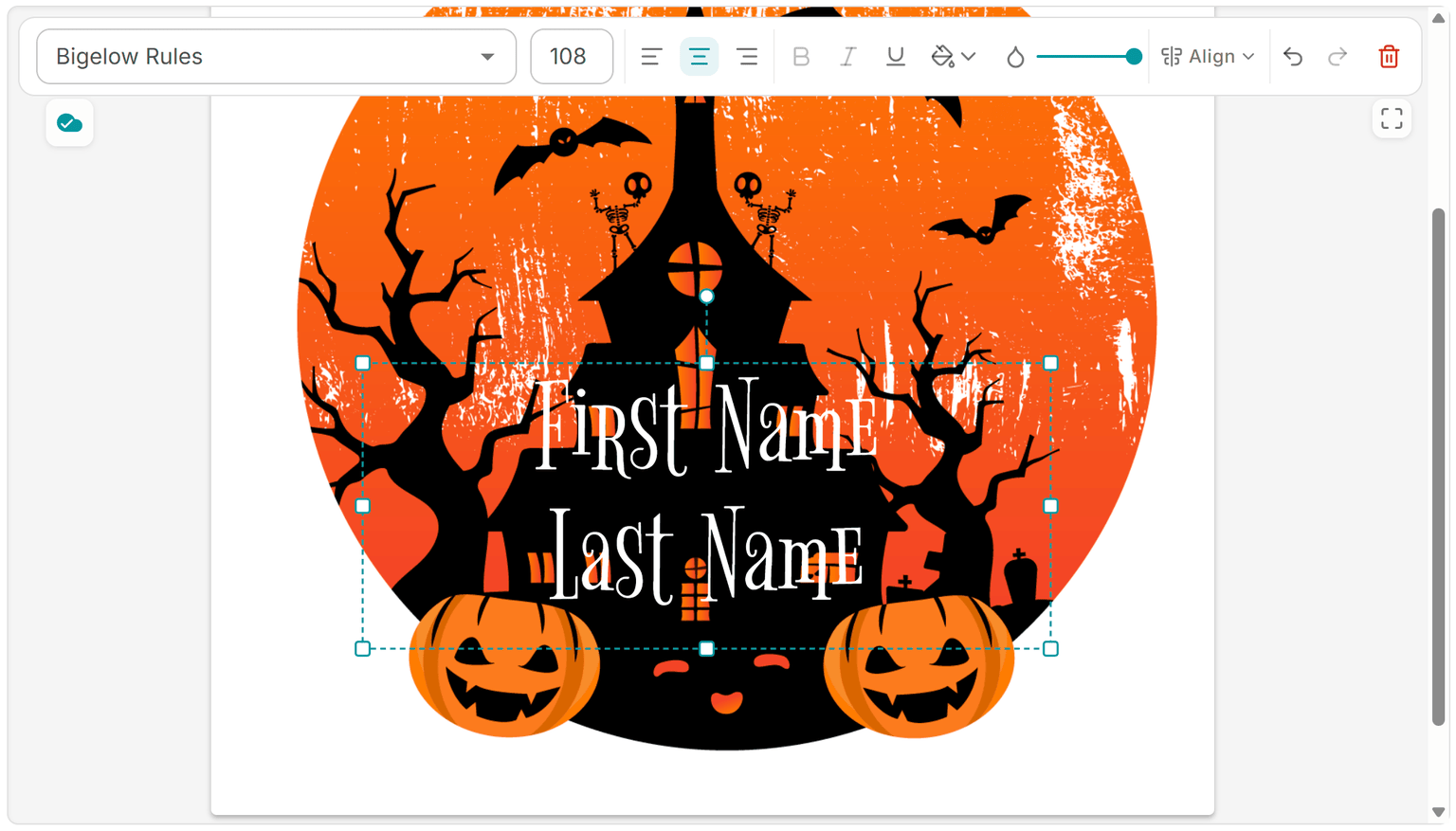
How it works
Instead of uploading a PDF or a Word file, you start by uploading an image: a PNG or a JPG. That can be a flyer, an event badge, a name tag, a social-media graphic, a ticket, or a certificate you’ve saved as a picture.
From there, you’re in the same easy drag-and-drop editor you already know from PDFs. Nothing new to learn. You can:
- Add text fields that fill in automatically from the columns in your spreadsheet: names, dates, seat numbers, anything you like
- Add shapes to frame or highlight part of the design
- Add other images, like a logo or a photo
- Add QR codes and barcodes for tickets, check-in, or quick links
When everything looks right, you run the merge. MailMergic creates one personalized copy for every row in your list, so a list of two hundred guests gives you two hundred finished images, each with the right details in place. The design stays exactly as you made it, and only the parts you marked as fields change from one copy to the next.
Where it helps
Once you can personalize a picture, a lot of everyday jobs get a whole lot easier:
- Event badges and tickets: a name tag or entry ticket for every attendee, complete with a scannable QR code
- Social-media graphics: “Welcome, Maria!” posts or shout-outs, one per person, ready to share
- Name tags for a conference, a workshop, or the first day of class
- Simple certificates: a clean, image-based award for each participant
- Thank-you cards: a warm, personal note for donors, customers, or volunteers
Download your way
When the merge is done, you choose how you want the files. Save them as PNG, as JPG, or bundle everything into a single PDF, whatever fits the way you plan to print or share them.
That’s the whole idea: take a design you’re proud of, point it at your list, and walk away with a polished, personalized copy for every single person, with no copy-and-paste marathon required. What used to be an afternoon of careful editing becomes a few clicks.
Start a new template, upload your image, and personalize your first batch in minutes.