


Email-Only Campaigns: Send a Personalized Mail Merge With No Attachment

Sometimes you don’t need to attach a document to every email. You just want to reach a lot of people, and you want each message to feel personal. A reminder before an event. A friendly newsletter. A quick note that greets each person by name. Building a separate PDF for every recipient when you never planned to send one is a lot of extra work for nothing.
That’s why MailMergic now has Email-only campaigns, a simpler way to send a personalized mail merge when there’s no document to attach.
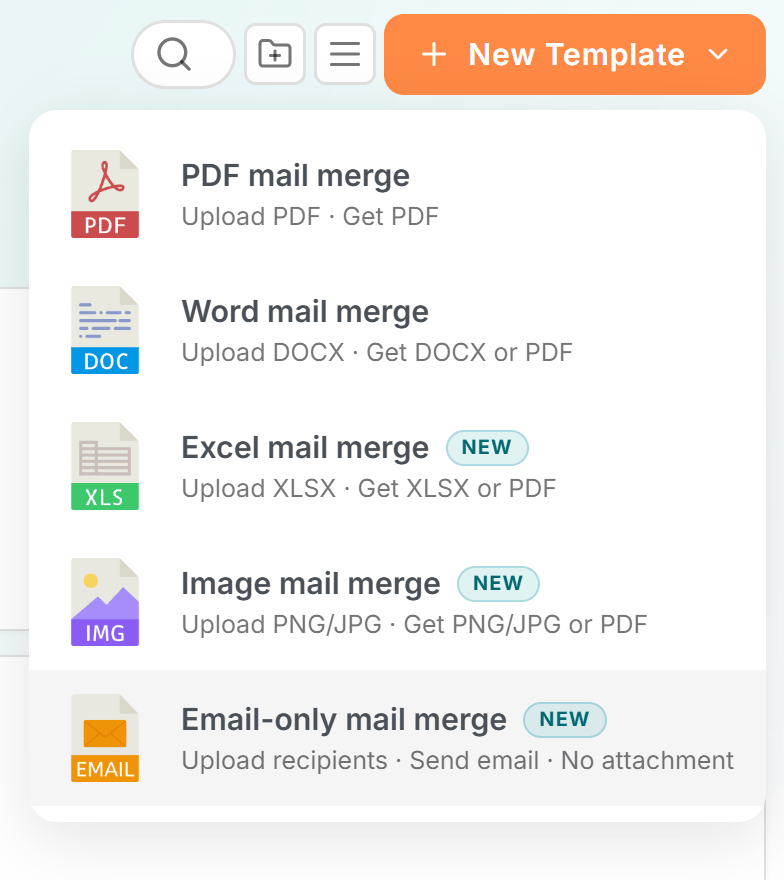
How it works
A normal campaign builds a document (like a certificate or an invoice) for each person on your list, then emails it out. An email-only campaign skips all of that.
Pick Email only from the New menu, and the steps shorten to three:
- Upload your list: add the spreadsheet with your recipients
- Write your email: type your subject line and message
- Send: review and send to everyone
There’s no document editor to work through, and no per-person file to wait for. You go straight from your list to your message to send.
Still fully personalized
Even without an attachment, your spreadsheet still does the personalizing. Drop in a recipient’s name, city, order number, or anything else from your columns, right into the subject line and the body of the email.
So a single message can go out as “Hi Maria, your order #4821 ships tomorrow” to one person and “Hi James, your order #4822 ships tomorrow” to the next. Each email reads like you wrote it just for them, and you only write it once. It’s the same idea as a regular mail merge, where the spreadsheet fills in the blanks, just for the email itself instead of a document.
You can also add CC and BCC if you need to keep someone in the loop, and you can attach the same file to everyone (a flyer or a price list, for example) when you do want one shared document along for the ride. The difference is that nothing is built per person, so there’s nothing to generate and nothing to wait on before your emails go out.
Where it helps
Email-only campaigns are perfect whenever the message is the point:
- Newsletters and announcements: keep your audience up to date
- Reminders: nudge people before a deadline or a renewal
- Event invites: invite a whole list and greet each guest by name
- Personalized outreach: reach customers or members one warm message at a time
You’ll spot these campaigns easily, too. They’re marked with an “Email only” label in your campaign list, and their reports leave out the document and download columns you don’t need, so there’s nothing extra to wade through.
Open the New menu, choose Email only, and send your first personalized email campaign in three quick steps.