
Address labels · 30 per sheet · 2 5/8" x 1"
Avery 5160 template for address labels from Excel
The 30-label sheet with the address already placed on every label. Upload your list and every row lands on its own label, sheet after sheet, ready to print.
Free plan, no signup needed to try.
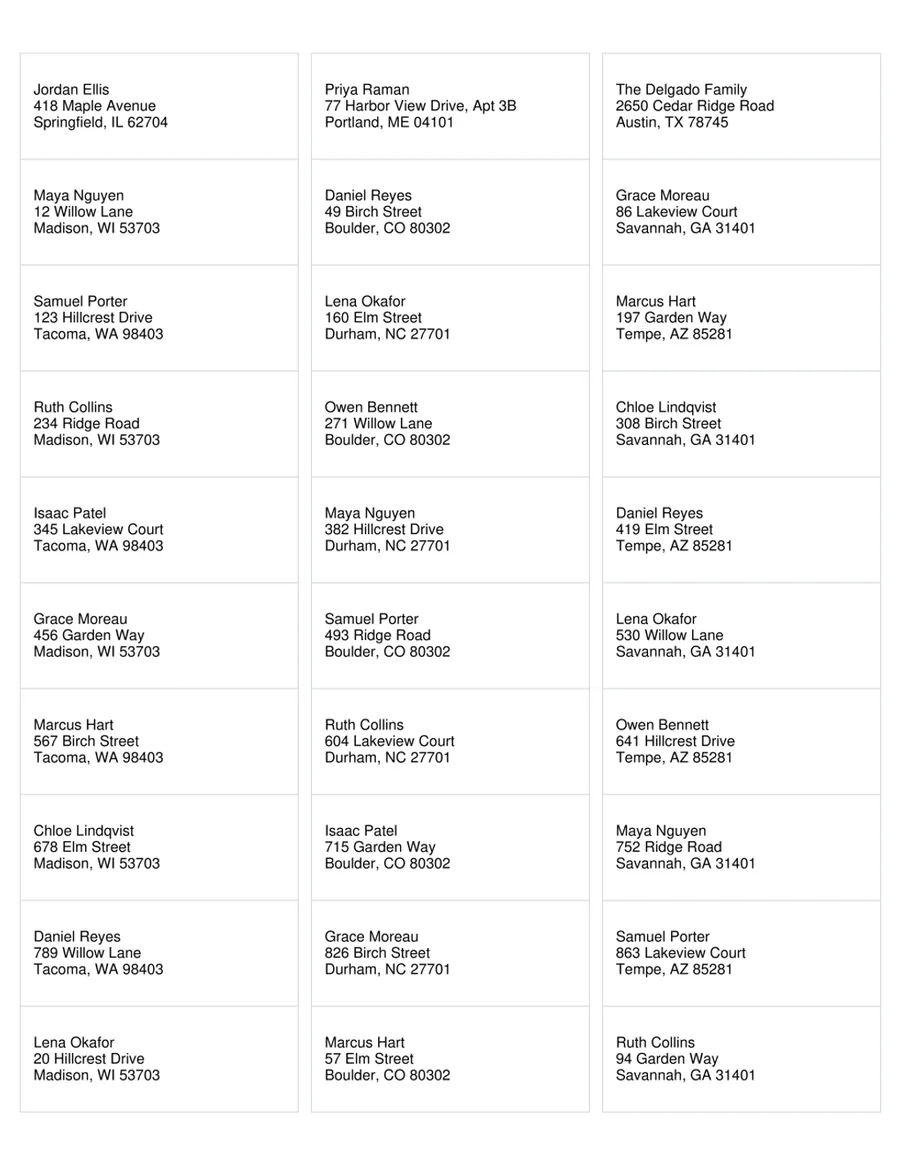
Avery 5160 is the standard US address label: 30 labels of 2 5/8" by 1" on a Letter sheet, three across and ten down. It is what most people reach for when they send holiday cards, invitations, mailings to members or a batch of letters to clients.
The hard part is never the sheet. It is getting a few hundred addresses from a spreadsheet onto it without typing them, and in Word that means its label wizard, a merge field in the first label and the Update Labels button. This template skips all of it: the address block already sits on all 30 labels, and your list fills them in order, left to right and top to bottom, then carries on onto the next sheet.
Avery 5160 layout
- Labels per sheet
- 30 (3 across, 10 down)
- Label size
- 2 5/8" x 1"
- Paper
- US Letter, 8 1/2" x 11"
- Top margin
- 1/2"
- Side margin
- 3/16"
- Horizontal pitch
- 2 3/4"
- Vertical pitch
- 1"
The same layout is sold as Avery 8160, Avery 5260, Avery 18160, so this template prints on those sheets too.
The columns your list needs
One row per label. These are the columns the template reads, with the first example row it opens with.
- Name
- Jordan Ellis
- Street
- 418 Maple Avenue
- City
- Springfield
- State
- IL
- ZIP
- 62704
Fill every label from your list
One sheet, one spreadsheet, a row on every label.
Open the sheet
It opens in MailMergic with the fields on all 30 labels and three example rows, so you see a filled sheet first.
Upload your list
One row per label with the columns below. Excel, CSV and Google Sheets all work, and different column names get matched once.
Generate and print
One PDF with every sheet. Print it at Actual size (100%) onto your labels.
What people print on Avery 5160 labels
Holiday cards and invitations
The whole guest or family list on labels in one print run, instead of an evening of handwriting envelopes.
Clubs, churches and nonprofits
Newsletters and donor mailings straight from the member spreadsheet you already keep.
Small business mailings
Client letters, catalogs and statements, with the label list exported from your CRM or bookkeeping tool.
Avery 5160 questions
Does this template work for Avery 8160?
How many addresses fit on one sheet?
What if a street name is too long for the label?
Why are my labels a little off?
Do I need Microsoft Word?
Is it free?
Other label templates
Avery 5163 template
Shipping labels, 10 per sheet, 4" x 2".
Avery 5366 template
File folder labels, 30 per sheet, 3 7/16" x 2/3".
All 13 label sheets
Shipping, return address, badge, round and A4 labels, and how to print them from Excel.
Layout from the manufacturer’s published template, last checked October 2026. Avery is a trademark of its owner; MailMergic is not affiliated with Avery.