
File folder labels · 30 per sheet · 3 7/16" x 2/3"
Avery 5366 template for file folder labels from Excel
Thirty folder labels per sheet with a bold name line and a smaller line for details. Upload your list of clients, cases or files and label every folder in one print.
Free plan, no signup needed to try.
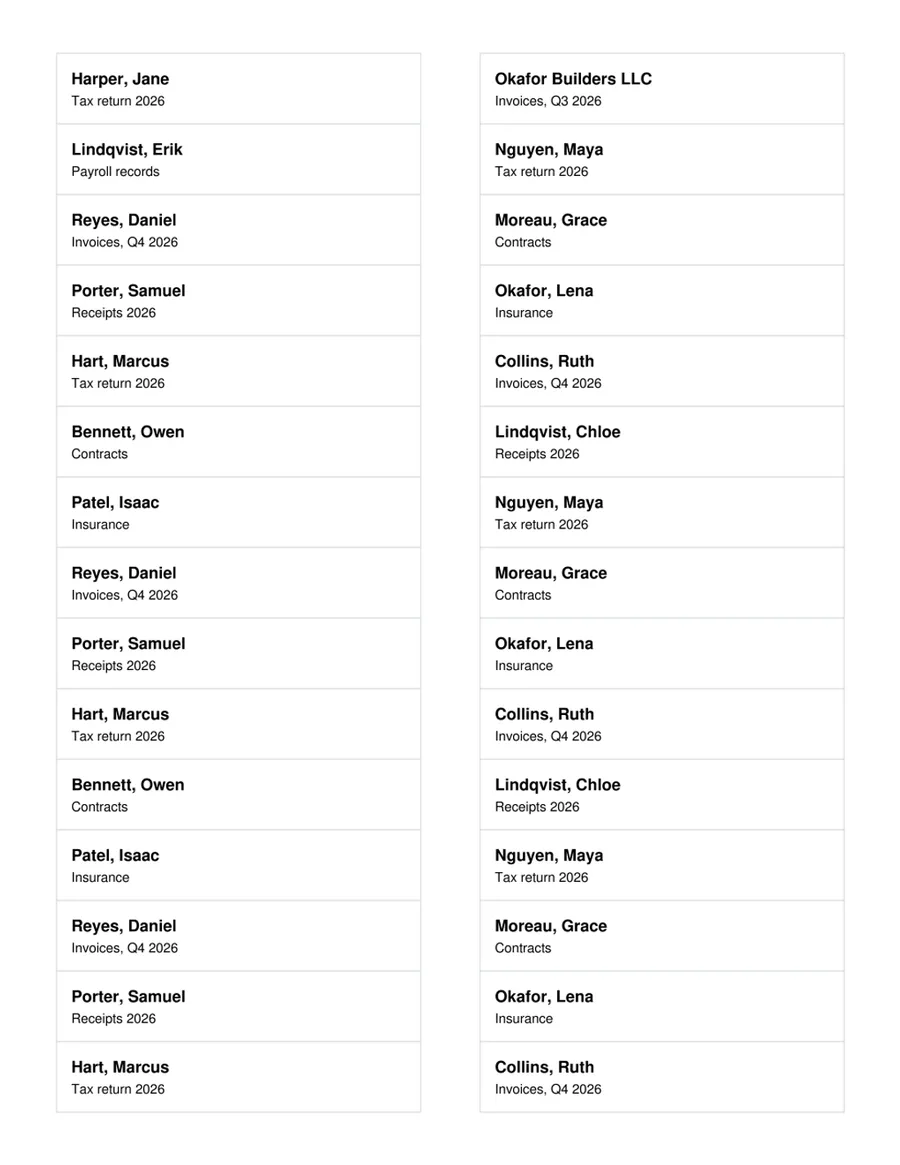
Avery 5366 holds thirty file folder labels of 3 7/16" by 2/3", two across and fifteen down. They fit the tab of a standard letter or legal folder, which is why offices, accountants, law firms and school offices go through them by the box.
Folder labels come from a list almost by definition: every client, every case, every student, every year. This template prints the folder name in bold with a second, smaller line for details such as the year or the document type, so the list you keep in Excel becomes a sheet of matching labels.
Avery 5366 layout
- Labels per sheet
- 30 (2 across, 15 down)
- Label size
- 3 7/16" x 2/3"
- Paper
- US Letter, 8 1/2" x 11"
- Top margin
- 1/2"
- Side margin
- 17/32"
- Horizontal pitch
- 4"
- Vertical pitch
- 2/3"
The same layout is sold as Avery 8366, Avery 5066, so this template prints on those sheets too.
The columns your list needs
One row per label. These are the columns the template reads, with the first example row it opens with.
- Folder
- Harper, Jane
- Details
- Tax return 2026
Fill every label from your list
One sheet, one spreadsheet, a row on every label.
Open the sheet
It opens in MailMergic with the fields on all 30 labels and three example rows, so you see a filled sheet first.
Upload your list
One row per label with the columns below. Excel, CSV and Google Sheets all work, and different column names get matched once.
Generate and print
One PDF with every sheet. Print it at Actual size (100%) onto your labels.
What people print on Avery 5366 labels
Accountants and bookkeepers
A folder per client for the new tax year, labeled from the client list before the first documents arrive.
Law firms and agencies
Case and project folders with the client name and the matter number from your case list.
Schools and HR
Student or employee files, one label per name from the class or staff list.
Avery 5366 questions
Does this template work for Avery 8366 and 5066?
Can I leave out the second line?
In what order do the labels print?
Why are my labels a little off?
What happens on the last sheet?
Is it free?
Other label templates
Avery 5160 template
Address labels, 30 per sheet, 2 5/8" x 1".
Avery 5163 template
Shipping labels, 10 per sheet, 4" x 2".
All 13 label sheets
Shipping, return address, badge, round and A4 labels, and how to print them from Excel.
Layout from the manufacturer’s published template, last checked October 2026. Avery is a trademark of its owner; MailMergic is not affiliated with Avery.