
Shipping labels · 10 per sheet · 4" x 2"
Avery 5163 template for shipping labels from Excel
Ten large labels per sheet with the address already placed in readable type. Upload your order or customer list and print the labels for the whole batch at once.
Free plan, no signup needed to try.
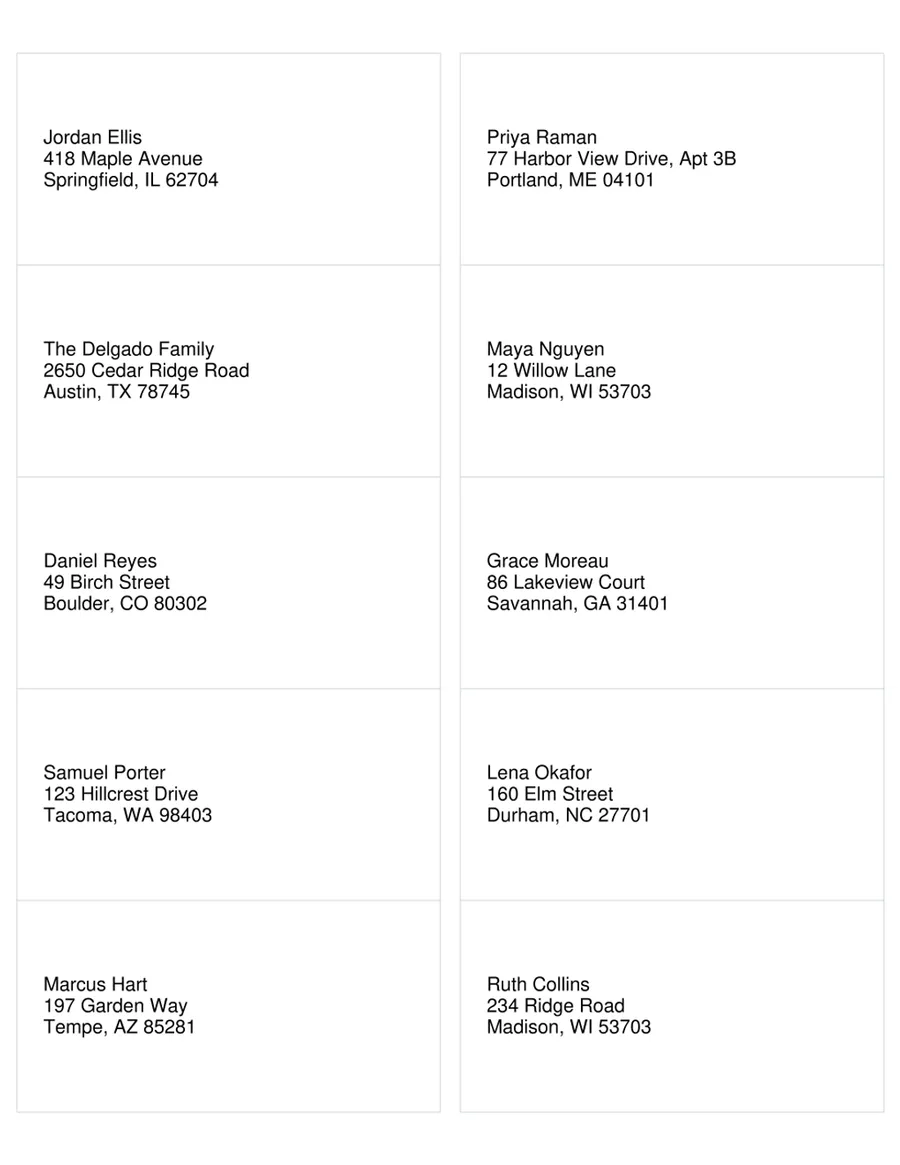
Avery 5163 holds ten labels of 4" by 2", two across and five down. The extra height gives an address room to be read from across a sorting table, which is why small shops, makers and anyone shipping a batch of parcels use it for packages and large envelopes.
Most shipping lists already live in a spreadsheet: an export from the online store, an order sheet, a list of customers. This template places the address on all ten labels in 13-point type, so that list becomes printed labels without copying a single address by hand.
Avery 5163 layout
- Labels per sheet
- 10 (2 across, 5 down)
- Label size
- 4" x 2"
- Paper
- US Letter, 8 1/2" x 11"
- Top margin
- 1/2"
- Side margin
- 5/32"
- Horizontal pitch
- 4 3/16"
- Vertical pitch
- 2"
The same layout is sold as Avery 8163, Avery 18163, so this template prints on those sheets too.
The columns your list needs
One row per label. These are the columns the template reads, with the first example row it opens with.
- Name
- Jordan Ellis
- Street
- 418 Maple Avenue
- City
- Springfield
- State
- IL
- ZIP
- 62704
Fill every label from your list
One sheet, one spreadsheet, a row on every label.
Open the sheet
It opens in MailMergic with the fields on all 10 labels and three example rows, so you see a filled sheet first.
Upload your list
One row per label with the columns below. Excel, CSV and Google Sheets all work, and different column names get matched once.
Generate and print
One PDF with every sheet. Print it at Actual size (100%) onto your labels.
What people print on Avery 5163 labels
Online shops and makers
The day’s orders exported from your store, printed as labels for every parcel in one go.
Sample and gift mailings
A box to every customer, partner or team member on a list, without retyping their addresses.
Large envelopes
Catalogs, contracts and documents that go out in 9" x 12" envelopes and need a label that is easy to read.
Avery 5163 questions
Does this template work for Avery 8163?
Can I print labels for only part of my list?
Can I print postage on these labels?
Why are my labels a little off?
What happens on the last sheet?
Is it free?
Other label templates
Avery 5160 template
Address labels, 30 per sheet, 2 5/8" x 1".
Avery 5366 template
File folder labels, 30 per sheet, 3 7/16" x 2/3".
All 13 label sheets
Shipping, return address, badge, round and A4 labels, and how to print them from Excel.
Layout from the manufacturer’s published template, last checked October 2026. Avery is a trademark of its owner; MailMergic is not affiliated with Avery.