
How can I up- or downgrade my plan?

by Meelika Kivi · Customer Support
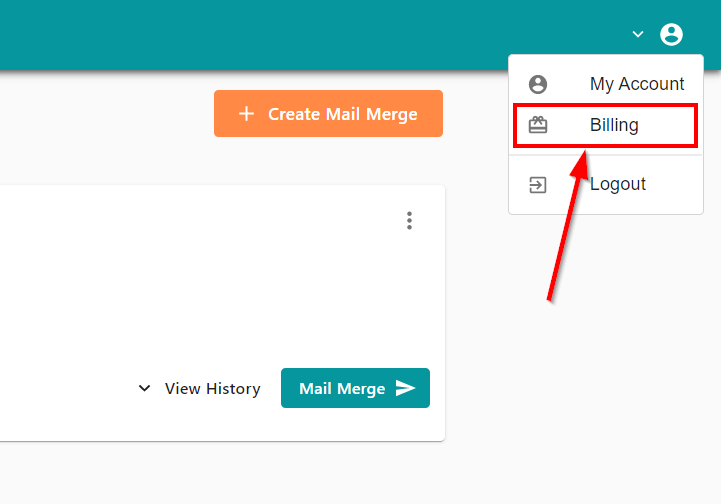
You can change your plan at any time. To do so, log into your MailMergic account and click on “Billing” in the user menu in the upper right corner:
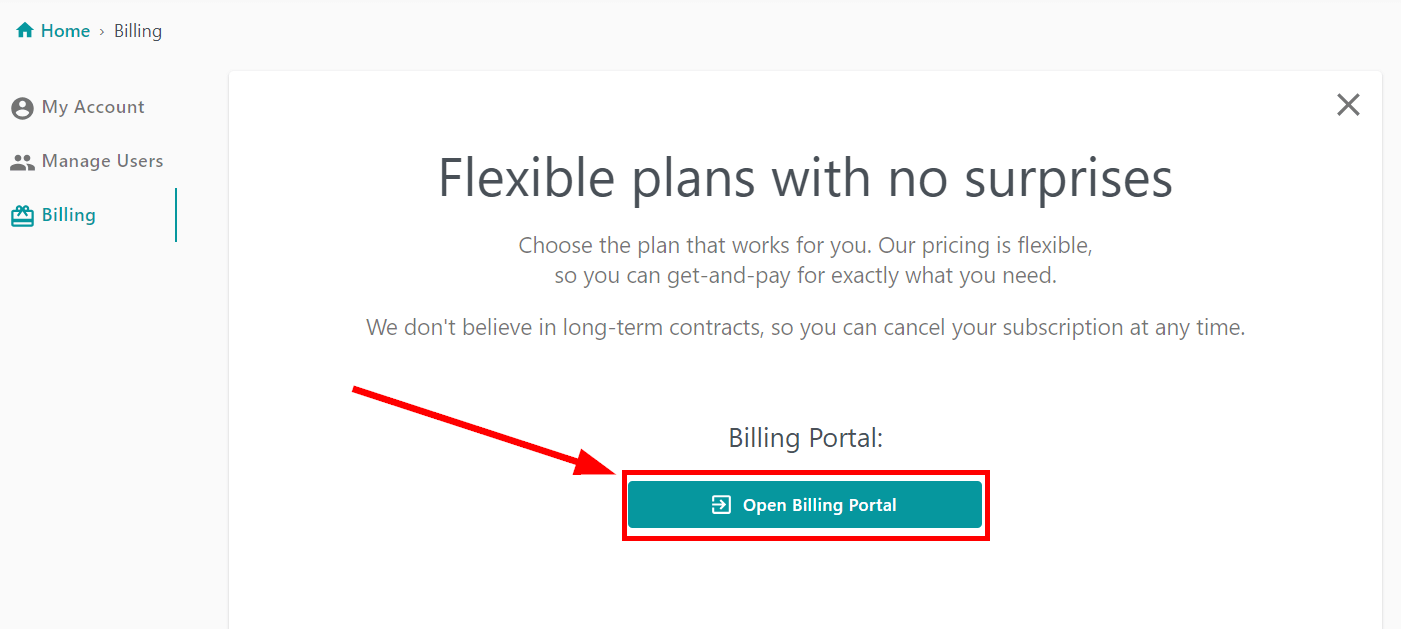
On the “Billing” page click on “Open Billing Portal”:
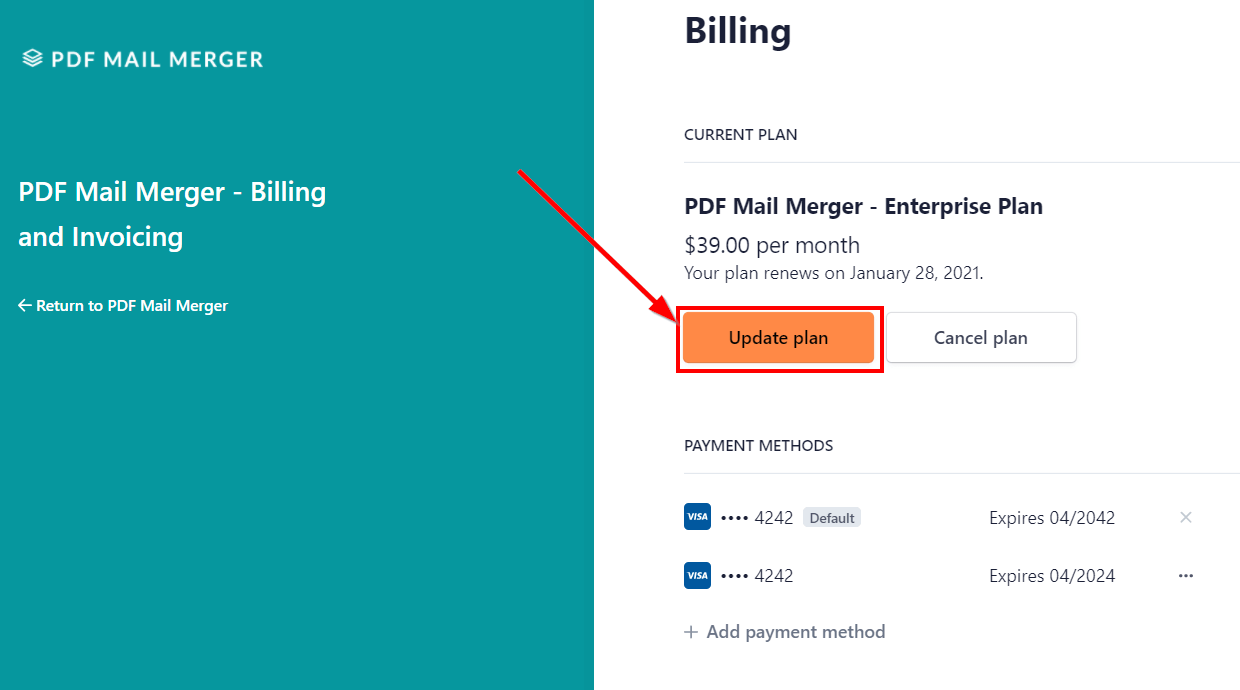
In the billing overview click on “Update plan”:
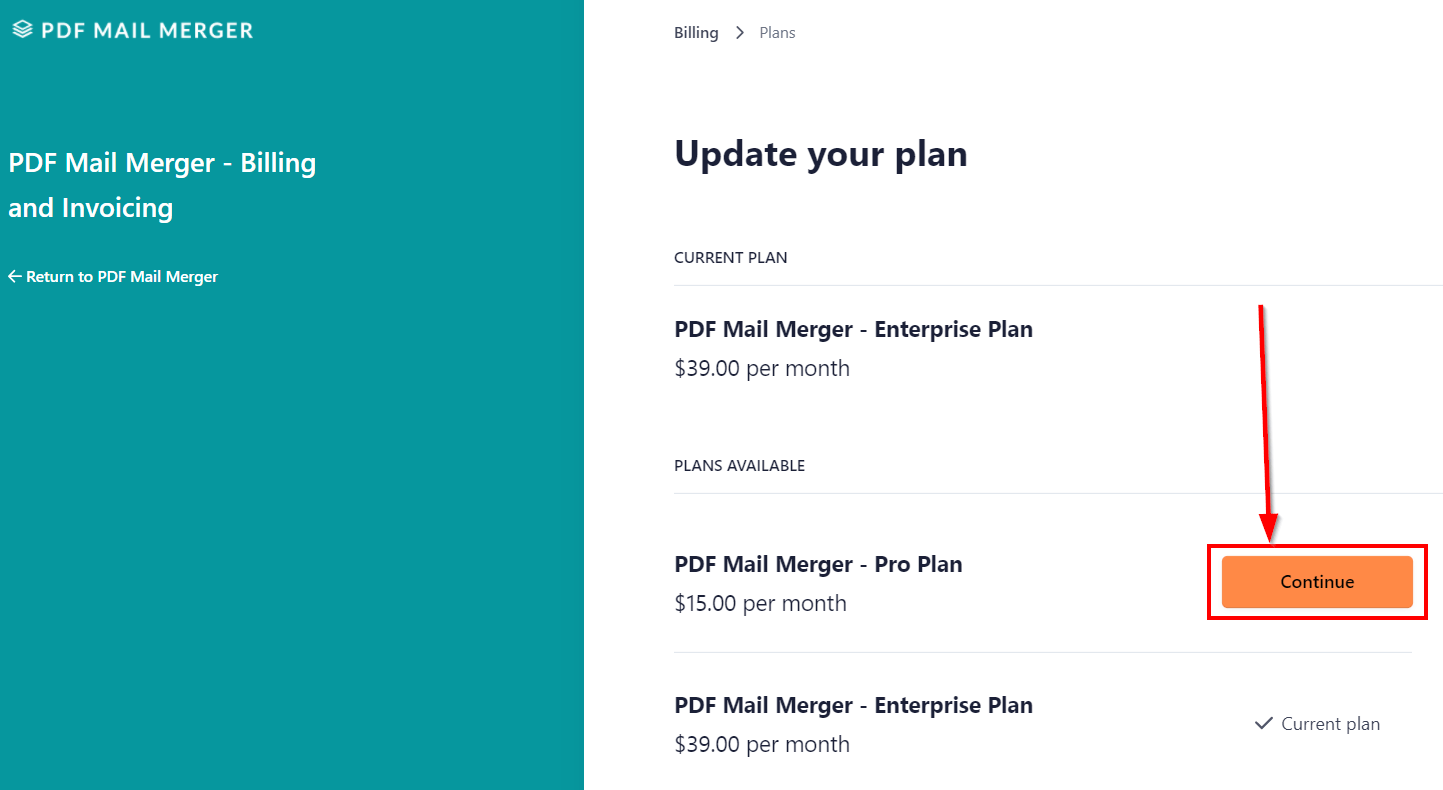
Select the plan you want to choose:
Read the following information carefully. Amounts already paid from your previous plan are automatically prorated. Confirm the change of your plan by clicking the “Confirm” button:
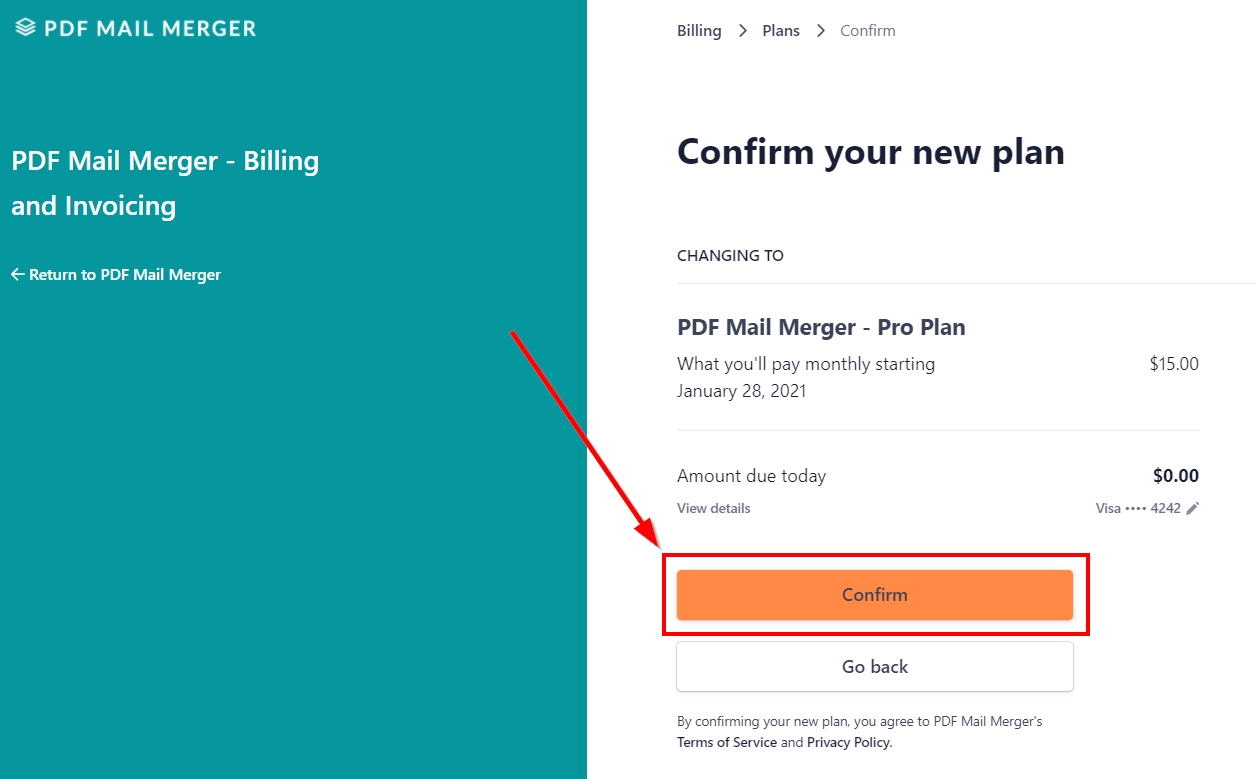
Your new plan is now active.