


What file formats do you support?

As a PDF file format, we support all types of PDF files – both PDF files with embedded form fields and PDF files without form fields.
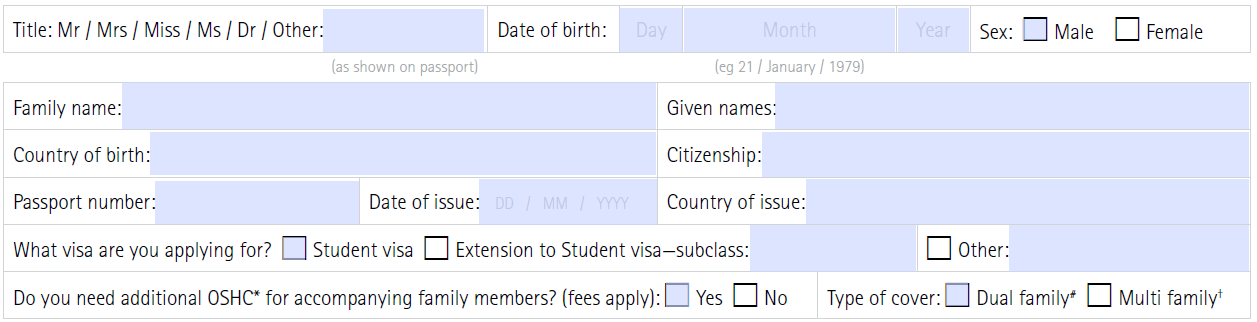
When you open a PDF file in your PDF reader (such as Adobe Reader), you can see from the colored text fields that these are embedded form fields. You can fill in and save these fields directly in your PDF reader:
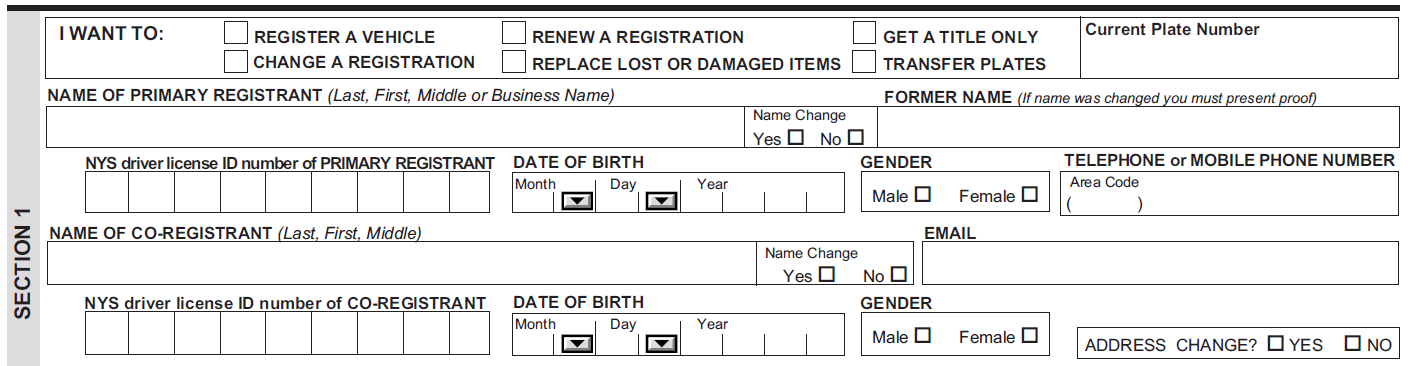
If it is a form without embedded form fields, you cannot edit them in Adobe Reader. Text fields are not marked in color:
We support all common Excel formats as a data source for your mail merge to a PDF, Word, or Excel file:
- Microsoft Excel (XLS, XLSX)
- Comma Separated Values (CSV, TXT)
- Open Document Spreadsheet, like in Libre Office & Open Office (ODS)
- SYmbolic LinK (SYLK, SLK)
- Data Interchange Format (DIF)
If you want to use Apple Numbers, convert the file format to XLS with the built-in functionality before uploading it to MailMergic.
Also, follow our simple Excel formatting guidelines for the best experience possible.