


How can I cancel my subscription?

by Meelika Kivi
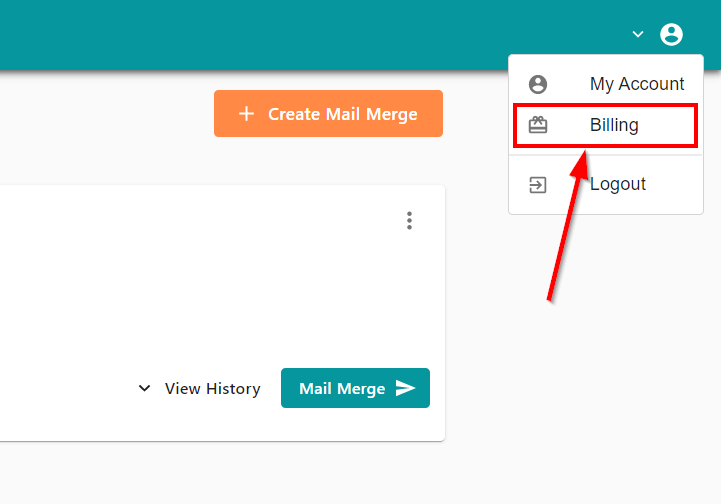
You can cancel your plan at MailMergic at any time. To do so, log into your account and click on “Billing” in the user menu in the upper right corner:
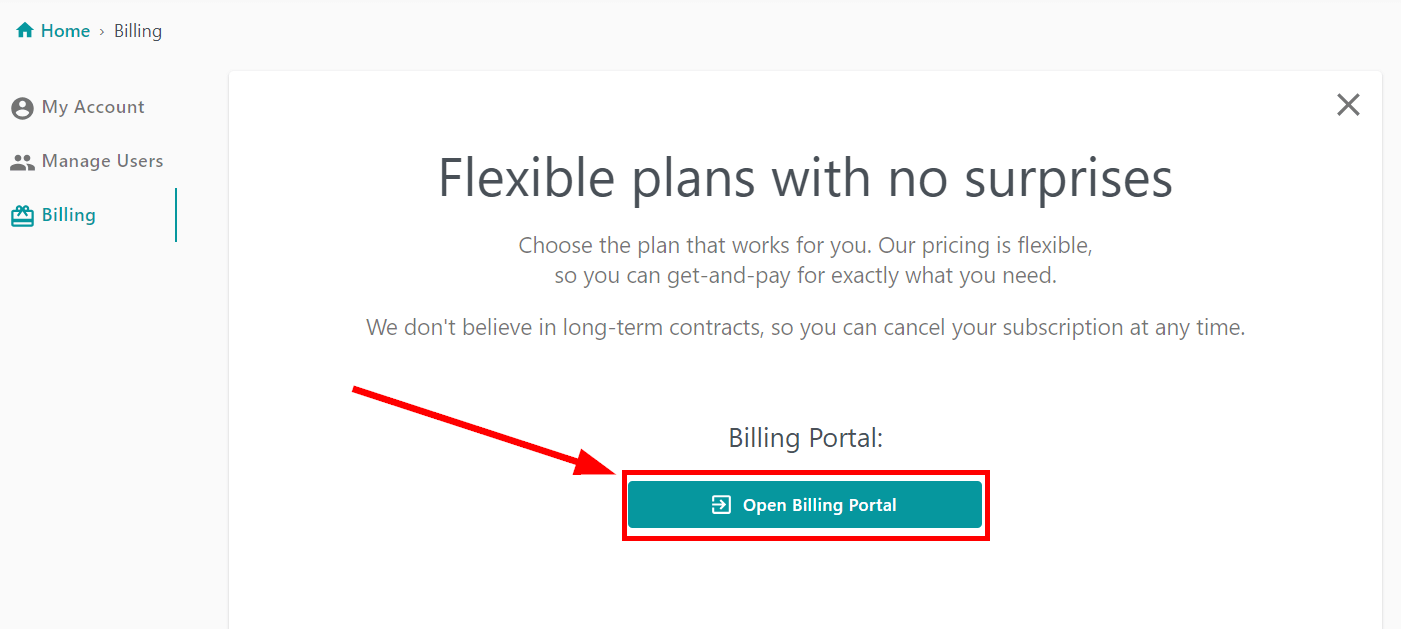
On the “Billing” page click on “Open Billing Portal”:
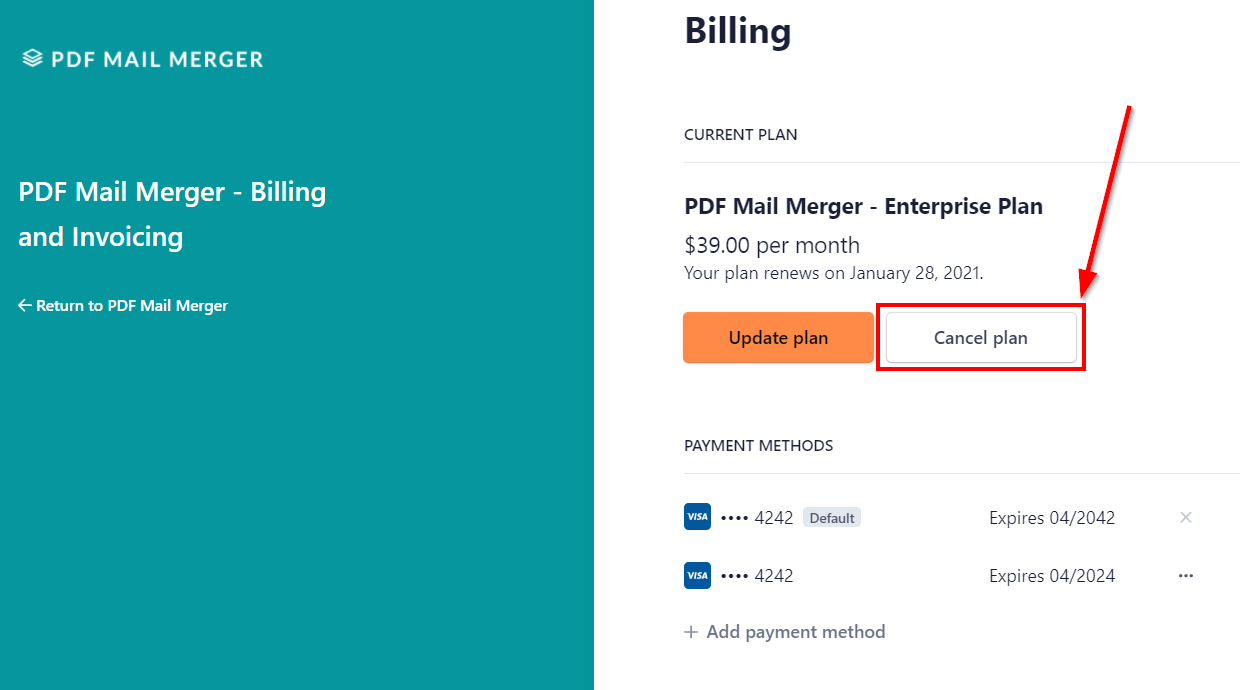
In the billing overview click on “Cancel plan”:
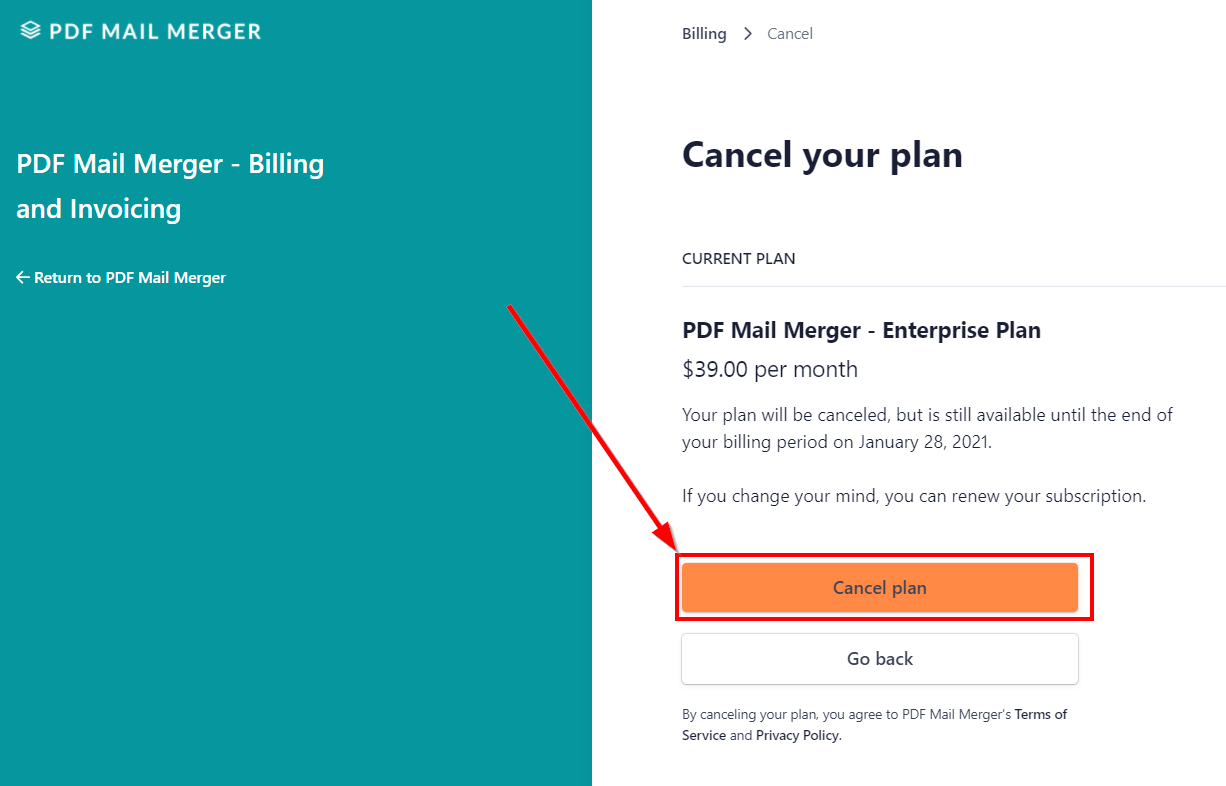
Read the following information carefully. Confirm the cancellation of your plan with a click on the button “Cancel plan”:
Your plan is now successfully canceled. After canceling, you can continue to use your plan and run mail merges until the end of the current billing period.
Alternatively you can also send us an email to support@mailmergic.com or send us a message via the widget. We will send you a confirmation when we processed your cancellation, however it might take a few hours in this way.