


Test Your Template on a Real PDF — Without Using a Single Credit

You’ve spent time designing your template — placing text, aligning logos, choosing the right font size. But before you merge it with your real data, there’s always that moment of doubt: will it actually look right with real content in the placeholders?
Now you can find out without spending any credits. MailMergic includes a free sample preview that lets you generate a real PDF merged with built-in sample data, so you can check your layout before committing to the full run.
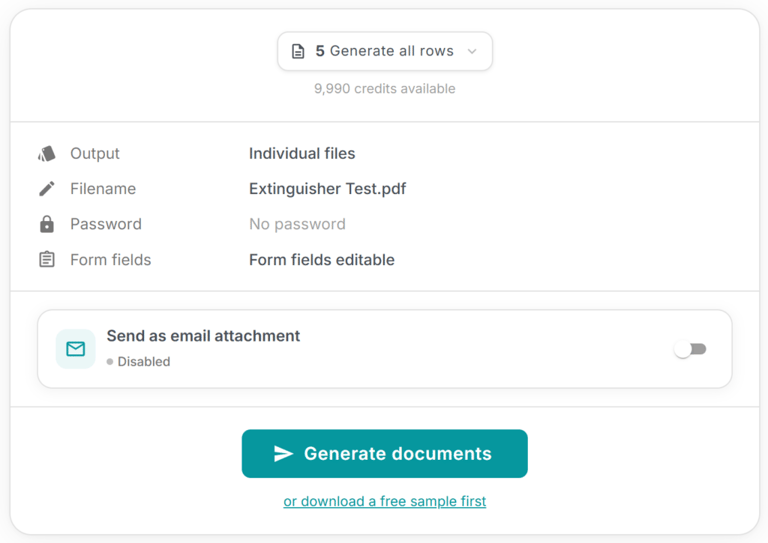
How it works
When you reach the download step, look for the “download a free sample first” option. Click it, and MailMergic merges your template with a set of built-in sample rows — five entries with realistic names, addresses, companies, and amounts from different countries.
The result is an actual PDF, rendered exactly the way your final documents will look. You can check alignment, font sizes, placeholder positioning, and overall layout — all without touching your credit balance.
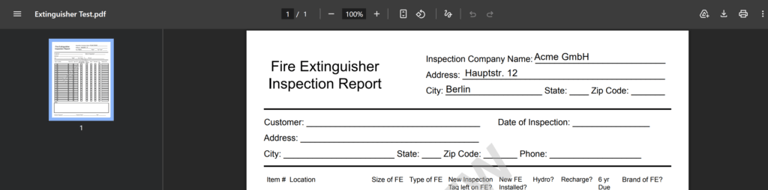
Why it matters
Catching layout issues before you run a large merge saves time and credits. Maybe a long company name wraps awkwardly, or a date field is a bit too close to the edge. With the sample preview, you spot these problems in seconds and fix them before generating hundreds (or thousands) of final documents.
This is especially helpful for:
- First-time template setups — verify everything is positioned correctly before the first real merge
- Complex layouts — templates with many placeholders, multiple pages, or tight spacing
- Team handoffs — let a colleague review the template output without running a paid merge
Built-in sample data
The sample data includes realistic entries with international names, addresses, and formatting — so you can see how your template handles different text lengths, special characters, and number formats. It’s a quick sanity check that covers the edge cases you’d otherwise only catch after the fact.
Open any template, head to the download step, and click the free sample link. It takes seconds and costs nothing — the easiest way to make sure your documents look exactly right.