
Fill Multiple Templates at Once: Every Person Gets All Their Documents Together

Plenty of jobs need more than one document per person. A new client gets a contract, a welcome letter and a consent form. A new employee gets an offer letter, a contract and a tax form. Every student on a course gets a certificate and a transcript.
Until now, that meant one mail merge per document: the same spreadsheet uploaded three times, three downloads to sort into folders by hand, and three separate emails landing in each person’s inbox. Now you can fill all of them in one go.
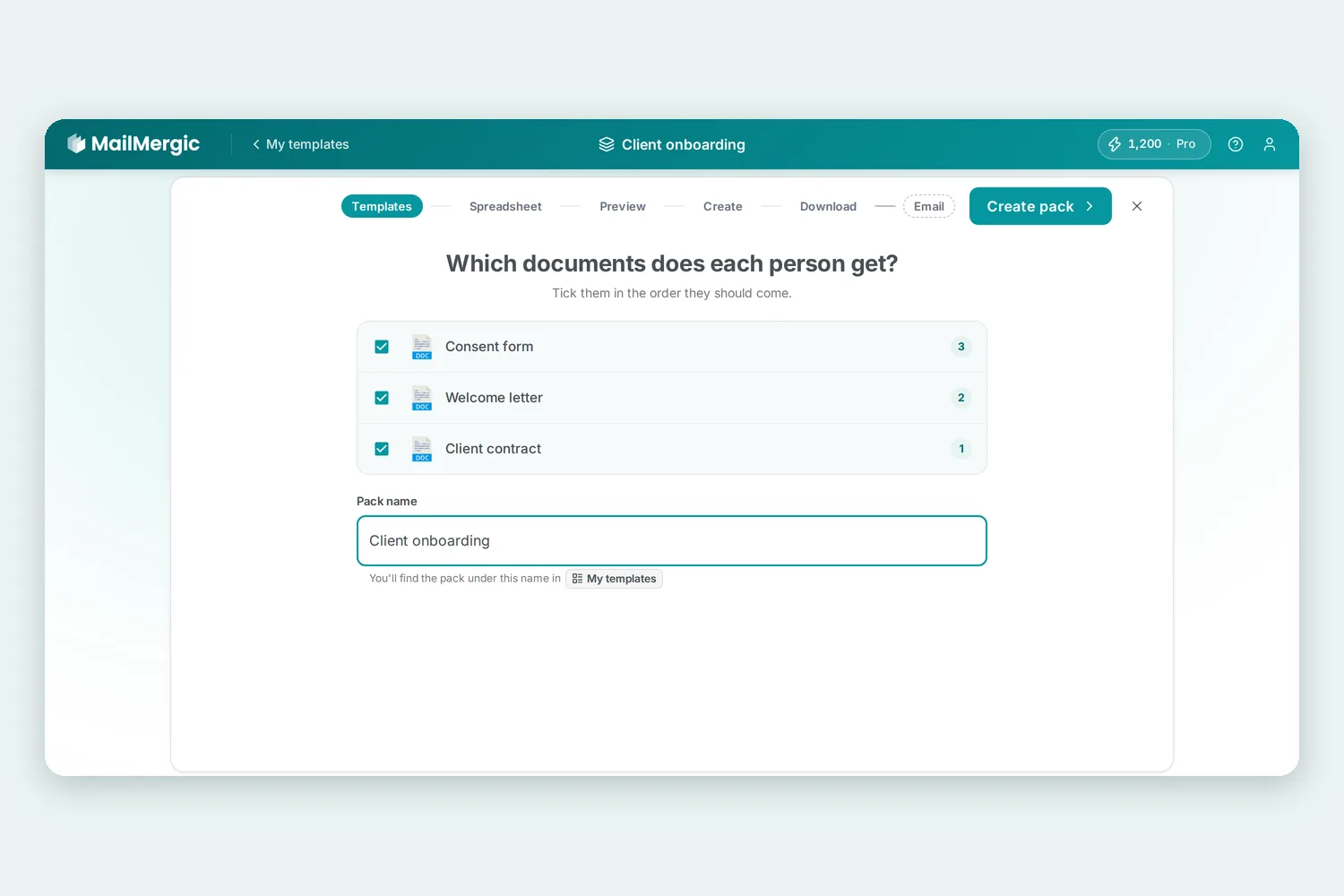
What a pack is
A pack is a set of your templates that you fill together, from one spreadsheet. Each row of the spreadsheet is one person, and every person gets every document in the pack. PDF, Word, Excel and image templates can all go in the same pack. You set it up once and use it again with each new list.
How it works
On your home page, click Fill multiple templates. Then:
- Templates: tick the documents each person gets, in the order they should come, and give the pack a name, for example “Client onboarding”. Click Create pack.
- Spreadsheet: upload your list (Excel or CSV), one row per person. Every document is filled from it. Not sure which columns you need? Download sample spreadsheet gives you one with a column for every placeholder in the pack.
- Preview: click each document to see it filled in with a real row. If a document has a field your spreadsheet does not have, pick the column that should fill it, or leave it empty.
- Create: one button makes everything. 12 people and 3 documents make 36 documents, and that uses 36 credits.
Set up the templates one by one first? You can also drop several documents onto the upload area at once. MailMergic sets them up one after the other, and when the last one is ready it offers Fill them together.
One folder or one email per person
If you download, you get one ZIP file named after the pack, with a folder for each person, named after them: “001 - Anna Schmidt” holds Anna’s contract, letter and form. Need just one kind of document, say all the contracts for printing? Need just one kind of document? below the download has a button for each template.
If you email, each person gets one email with all their documents attached, instead of three emails. You write the email once, in the same window as always, and Send a test to me sends you the first person’s email with all their documents, so you see exactly what arrives. Nothing goes out until you send it on the Review step. Downloaded first and want to send them after all? Switch on Send as email attachment under the download: the documents are already paid for, so it uses no extra credits.
Your pack then sits at the top of My templates, marked Pack of 3. Click Run with new data next month, upload the new list and you are done. Deleting a pack keeps your templates.
Where it helps
- Client onboarding. Engagement letter, contract and consent form for every new client of an accounting or law practice.
- New hires. Offer letter, employment contract and tax forms in one folder per employee.
- Courses and events. A certificate and a transcript, or a ticket and a name badge, for every participant.
- Property management. Lease, house rules and move-in checklist for each tenant.
Good to know
A pack holds 2 to 25 templates. Every row of the spreadsheet is filled, and each document stays its own file. Emailing your whole list needs a paid plan and a verified sender, as for any mail merge. Packs are in the web app, not in the desktop app.
Try it
Packs are live for everyone with two or more templates. Click Fill multiple templates on your home page to make your first one. New to MailMergic? Upload a PDF and start for free, or see how mail merge with attachments works.
