


How can I individually name the generated files?

by Meelika Kivi
You can define individual filenames for all your mail merged files in the 4th and last step of our MailMergic wizard:
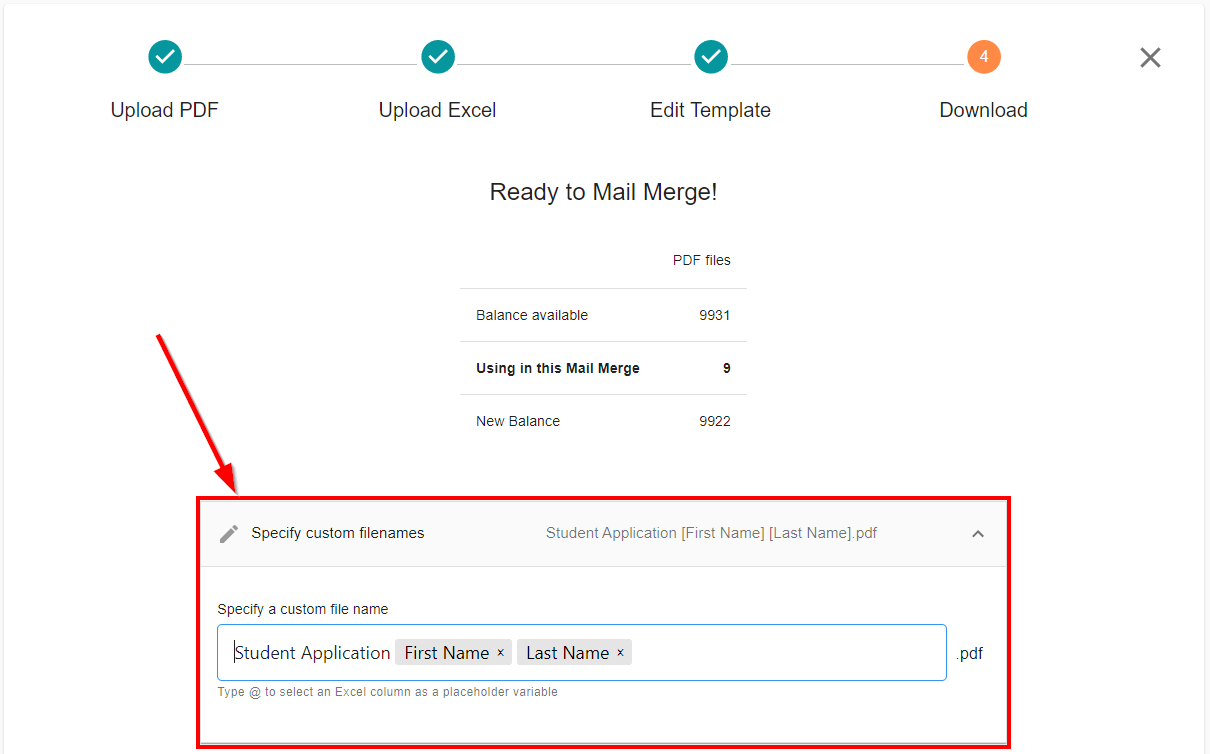
Enter the customized name of the generated files in the text field. You can also use variables to use data from your uploaded Excel file.
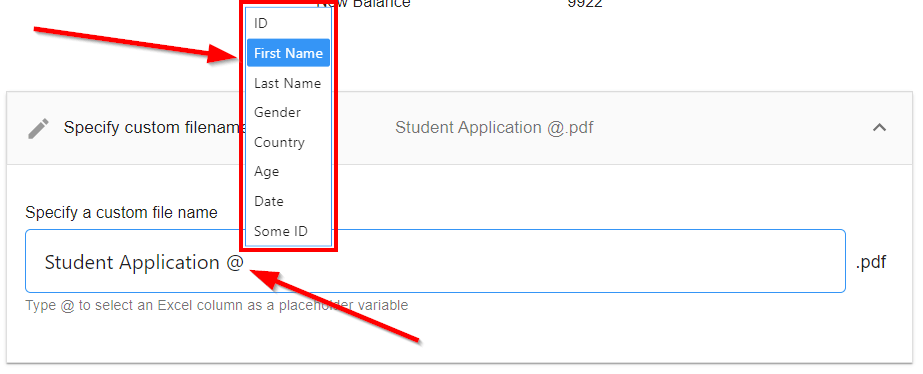
You can define a variable by typing the character @ and selecting the corresponding column name from the dropdown menu:
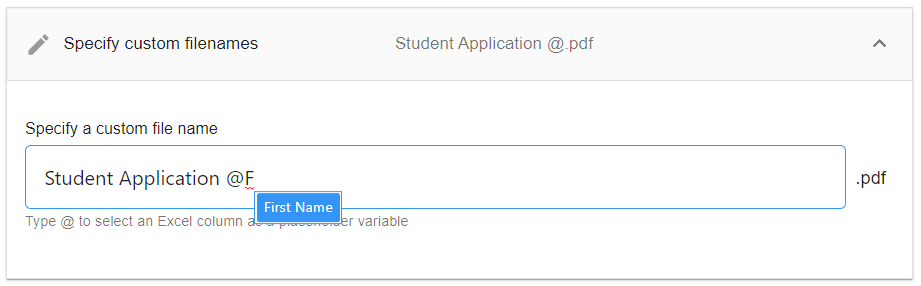
If your Excel file contains more column names than can be displayed in the drop-down menu, enter the column name after the @ sign to narrow the selection in the drop-down menu:
To delete a placeholder variable simply click on the x and it will be removed:
