


Smart Columns: Dates and Numbers From Your Spreadsheet Format Themselves

You upload your spreadsheet, get to work, and then notice the dates look wrong. The day and the month are swapped, or a date shows up as a strange number that means nothing to you. If you’ve ever had to stop and fix every date by hand before sending a mail merge, you know how tedious that is. It’s the kind of small chore that eats up a few minutes every single time.
MailMergic now reads your spreadsheet more carefully and formats your dates and numbers for you, so the things that should look like dates and numbers actually do, right from the moment you upload, with nothing extra to set up.
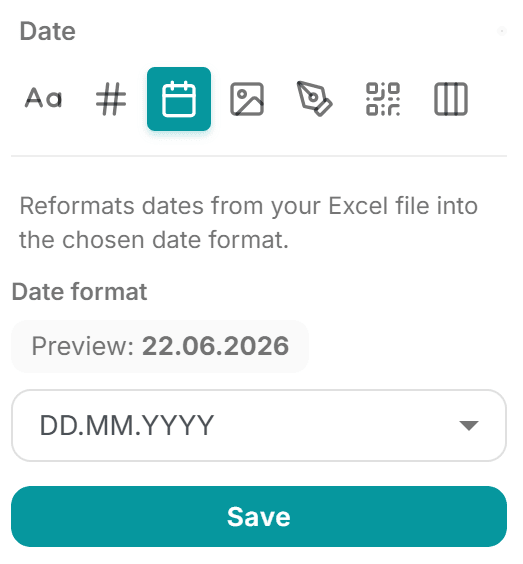
Dates that match where you are
When you upload a file, MailMergic recognizes which columns hold dates and shows them in the format people use where you are. So if you’re in Germany, you’ll see 31.12.2026. If you’re in the United States, you’ll see 12/31/2026.
Before, dates always defaulted to the US style, which meant a lot of people outside the US had to change them every single time. For certificates, letters, and invoices that go out to local customers or families, that little detail matters. Now the sensible choice is already made for you.
Numbers that read naturally
The same care applies to numbers with decimals. MailMergic uses the thousands and decimal marks you’re used to, so the same amount shows as 1,234.50 in one region and 1.234,50 in another. No more amounts that look off in a letter or invoice.
And don’t worry about your plain whole numbers. Columns like IDs, item counts, and order numbers are left exactly as they are, because adding separators to those would only cause confusion.
No more mystery numbers
Here’s a small fix that solves a big annoyance. Sometimes a date in your sheet shows up as a bare number like 41791 instead of a real date. That happens because spreadsheets quietly store dates as numbers behind the scenes, and now and then that number slips through.
MailMergic now spots these and turns them back into the proper calendar date, so 41791 becomes the actual day it was always meant to be. You don’t have to do anything, it just reads correctly.
Still your choice
These are simply smart starting points, applied only to new uploads, so nothing about your existing work changes. If you’d rather show a date or number a different way (a longer date, a different style, whatever suits your document), you can always change the format yourself in a couple of clicks. MailMergic just saves you the boring part by getting it right the first time, so you can spend your energy on the message instead of the formatting.
Upload your next spreadsheet and watch your dates and numbers fall into place on their own.