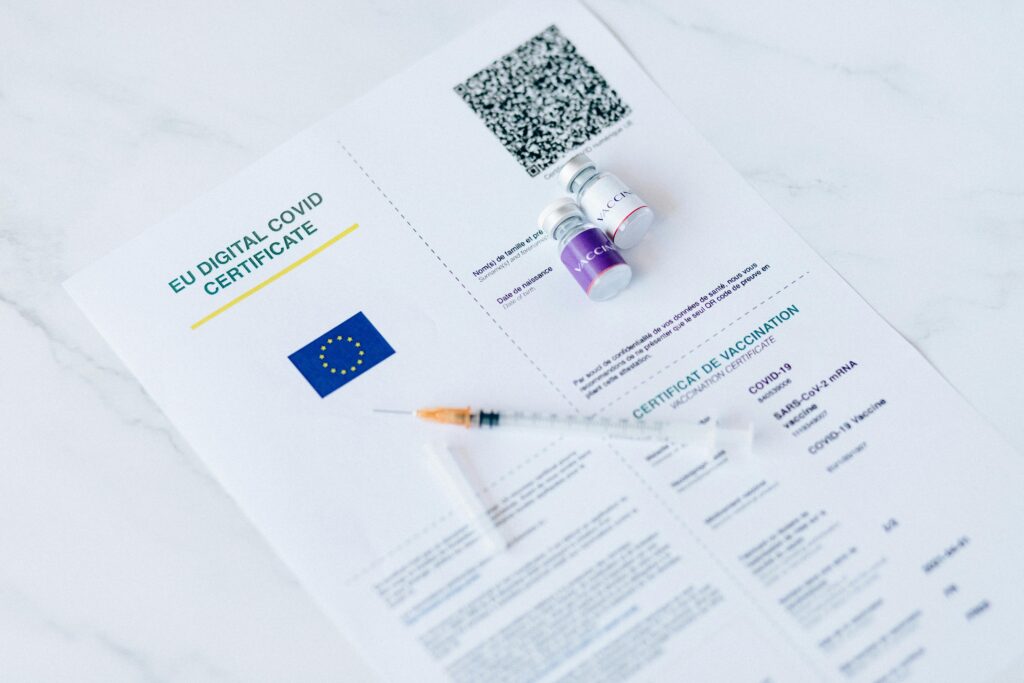
Discover the best tools for designing and automating certificates, including Word and Google Docs. Create professional, customizable certificates quickly and efficiently.

Table of Contents
- The Growing Importance of Digital Certificate Tools
- Microsoft Word: A Classic Tool with Powerful Automation
- Google Docs: Accessibility and Collaboration in the Cloud
- Specialized Automation Platforms: Taking Certificate Creation to the Next Level
- Enhancing Certificates with Barcodes and Verification Features
- The Role of Design in Certificate Creation
- Building an Efficient Certificate Workflow
- The Future of Certificate Design and Automation Tools
- Conclusion
The Growing Importance of Digital Certificate Tools
In today’s fast-moving digital environment, certificates have become more than just symbolic acknowledgments of achievement. They are essential assets used across education, business, events, and creative industries to validate skills, participation, and credibility. As demand grows, so does the need for efficient, scalable, and visually compelling ways to create them.
Manually designing and issuing certificates is no longer practical, especially when dealing with large volumes. Organizations, educators, and creators now rely on modern tools that combine design flexibility with automation capabilities. These tools not only save time but also ensure consistency, accuracy, and professionalism.
At the core of this transformation are platforms like Microsoft Word, Google Docs, and specialized automation services such as Mailmergic.com which enable users to generate hundreds or even thousands of personalized certificates in minutes.
Understanding how these tools work—and how they can be combined—is key to building an efficient and future-ready certificate workflow.
Microsoft Word: A Classic Tool with Powerful Automation
Microsoft Word remains one of the most widely used tools for certificate creation, and for good reason. It offers a familiar interface, strong formatting capabilities, and robust mail merge functionality that allows users to generate personalized documents at scale.
With Word, you can design a certificate template using text, images, shapes, and custom layouts. Then, by connecting the document to a data source such as Excel, you can automatically insert names, dates, and other personalized information.
What makes Word particularly powerful is its precision. You have full control over spacing, alignment, and typography—essential elements in creating professional-looking certificates. Following proper design principles is crucial, and understanding typography can significantly improve the final result. For a deeper look at this aspect, you can explore: Typography Rules for Professional Word Documents: Typography Rules for Professional Word Documents.
In addition, Word allows for advanced customization through fields, conditional formatting, and even integration with external tools, making it a reliable choice for both beginners and advanced users.
Google Docs: Accessibility and Collaboration in the Cloud
While Microsoft Word excels in control and structure, Google Docs brings a different strength to the table: accessibility and collaboration.
As a cloud-based platform, Google Docs allows multiple users to work on the same document in real time. This makes it ideal for teams managing events, courses, or corporate training programs where collaboration is essential.
Google Docs also supports mail merge through add-ons and integrations, enabling automated certificate generation similar to Word. The key advantage is that everything happens online—no need for software installation or file transfers.
Another benefit is seamless integration with Google Sheets, which acts as a dynamic data source. This makes it easy to update participant information and regenerate certificates instantly.
For organizations looking to streamline their workflow even further, combining Google Docs with specialized automation platforms can significantly enhance efficiency and scalability.
Specialized Automation Platforms: Taking Certificate Creation to the Next Level
While Word and Google Docs provide strong foundations, specialized tools are designed specifically for automation and scalability. Platforms like Mailmergic.com
offer advanced features that go beyond traditional document editing.
These tools allow users to:
- Automate certificate generation fully
- Connect multiple data sources
- Schedule document creation and delivery
- Integrate with APIs and external systems
- Generate documents in bulk with minimal effort
One of the most valuable features is the ability to preview how data will appear before generating final documents. This helps eliminate errors and ensures a smooth workflow. You can explore this feature in more detail here: Test Your Template on a Real PDF — Without Using a Single Credit.
By combining automation with intelligent data handling, these platforms transform certificate creation into a seamless, scalable process.
Enhancing Certificates with Barcodes and Verification Features
As digital certificates become more widely used, the need for verification and security is increasing. One of the most effective ways to achieve this is by integrating barcodes or QR codes into certificates.
Barcodes can store unique identifiers, allowing certificates to be verified quickly and accurately. This is particularly useful for educational institutions, corporate training programs, and events where authenticity is critical.
Modern tools make it easy to embed these elements directly into certificate templates. Once integrated, each generated certificate can include a unique code linked to a database or verification system.
If you want to understand how this works in practice, you can read more here: Add Barcodes to Your Documents — From Product Labels to Event Tickets.
This simple addition significantly enhances the credibility and functionality of digital certificates, turning them into secure and interactive assets.
The Role of Design in Certificate Creation
While automation is essential, design remains a critical factor in the effectiveness of a certificate. A well-designed certificate not only looks professional but also increases its perceived value.
Good design involves several key elements:
- Clear hierarchy of information
- Balanced layout and spacing
- Consistent typography
- High-quality visuals
- Brand alignment
Tools like Word and Google Docs provide the flexibility to create visually appealing designs, but users must still apply thoughtful design principles.
Typography, in particular, plays a major role. The choice of fonts, sizes, and spacing can dramatically affect readability and aesthetics. A poorly designed certificate can undermine its purpose, while a well-crafted one can enhance the recipient’s sense of achievement.
By combining strong design practices with automation tools, users can create certificates that are both efficient and impactful.
Building an Efficient Certificate Workflow
The real power of modern tools lies in how they can be combined into a cohesive workflow.
A typical efficient process might look like this:
- Design the certificate template in Word or Google Docs
- Prepare the data source in Excel or Google Sheets
- Preview the output using automation tools
- Generate certificates in bulk
- Add verification features such as barcodes
- Distribute certificates automatically via email or download links
The key is not just choosing the right tool, but understanding how different tools work together to create a seamless system.
The Future of Certificate Design and Automation Tools
As technology continues to evolve, certificate tools are becoming more intelligent, connected, and user-friendly.
We are already seeing the rise of:
- AI-powered design suggestions
- Real-time collaboration features
- Advanced automation workflows
- Integration with learning and event platforms
- Interactive and verifiable digital credentials
In the future, certificate creation will likely become even more automated and personalized. Users will be able to generate highly customized certificates instantly, with minimal manual input.
At the same time, the importance of usability and accessibility will continue to grow. Tools will need to balance advanced features with intuitive interfaces, ensuring that users of all skill levels can create professional results.
Conclusion
In conclusion, creating and managing certificates has entered a new era defined by simplicity, speed, and scalability. Tasks that once demanded hours of manual formatting and repetitive adjustments can now be completed through streamlined and highly efficient workflows. Today, educators, event organizers, businesses, and independent creators all have access to tools that make it possible to design and distribute professional certificates without unnecessary complexity or technical barriers.
Modern solutions provide a balance between creative control and operational efficiency. Some tools allow for precise customization of layouts and visual elements, while others emphasize flexibility, collaboration, and accessibility across devices. More advanced platforms extend these capabilities even further by enabling automation—making it possible to generate, personalize, and distribute large volumes of certificates with minimal effort. This shift not only saves time but also reduces the likelihood of human error, ensuring greater consistency and reliability.
The real advantage, however, lies in how these tools can be combined into a cohesive workflow. A thoughtfully designed template, supported by well-structured data and enhanced through automation, creates a system that is both scalable and dependable. Such integration improves accuracy, simplifies processes, and enhances the overall experience for both creators and recipients.
Looking ahead, certificate creation will continue to evolve alongside digital innovation. Certificates are likely to become more interactive, secure, and tailored to individual recipients. As expectations grow, those who embrace efficient, modern workflows today will be better positioned to adapt to future demands.
Ultimately, designing and automating certificates is no longer just a technical process—it is an opportunity to deliver meaningful, polished, and impactful recognition that reflects professionalism, creativity, and forward-thinking in a digital-first world.